Smart Mobile
Exam Scanning.
Scan and grade unlimited exams — right from your phone. Auto-detects exam and student data instantly. Export to Excel in one tap. Free to use, with a Premium upgrade for an ad-free, seamless experience.
Powerful Features for Modern Educators
Everything you need to streamline exam grading and gain valuable insights into student performance
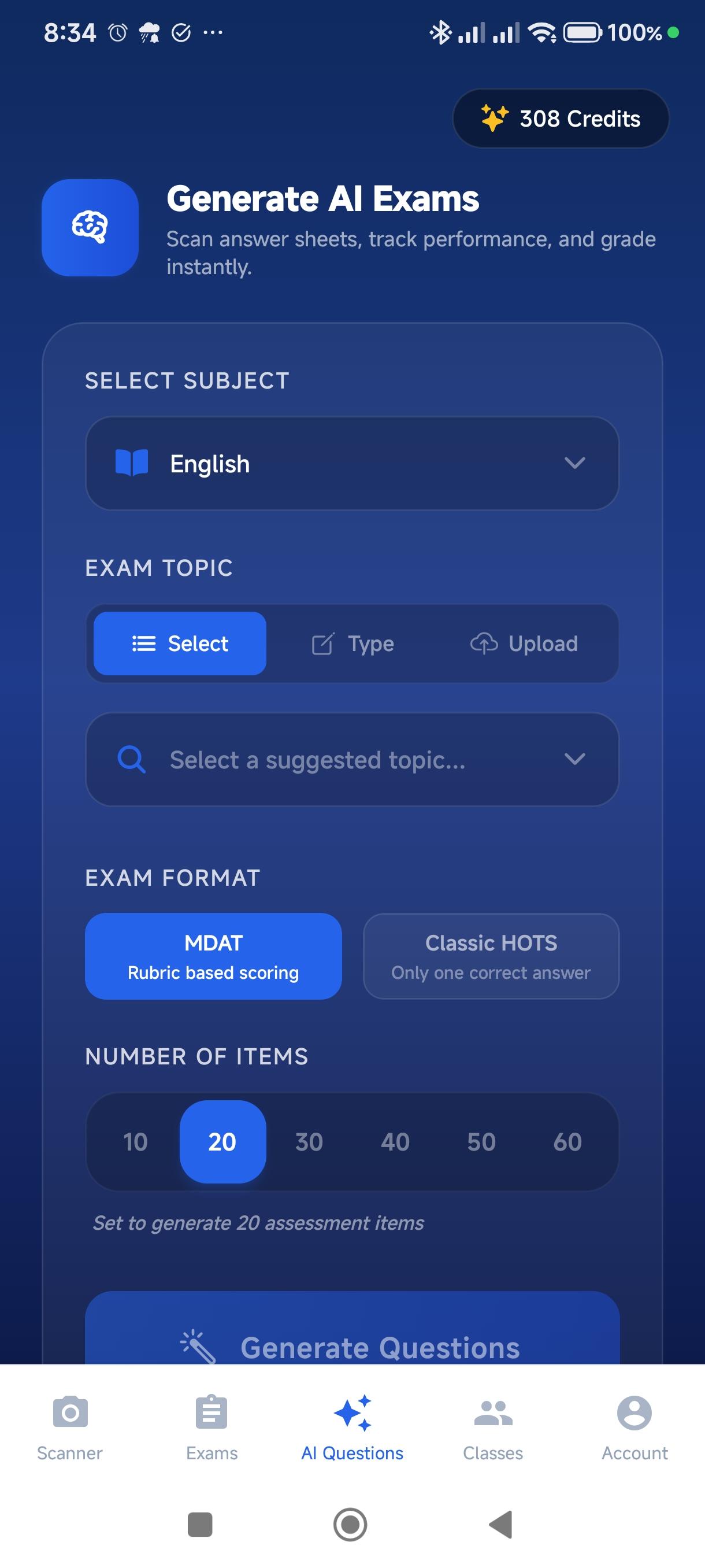
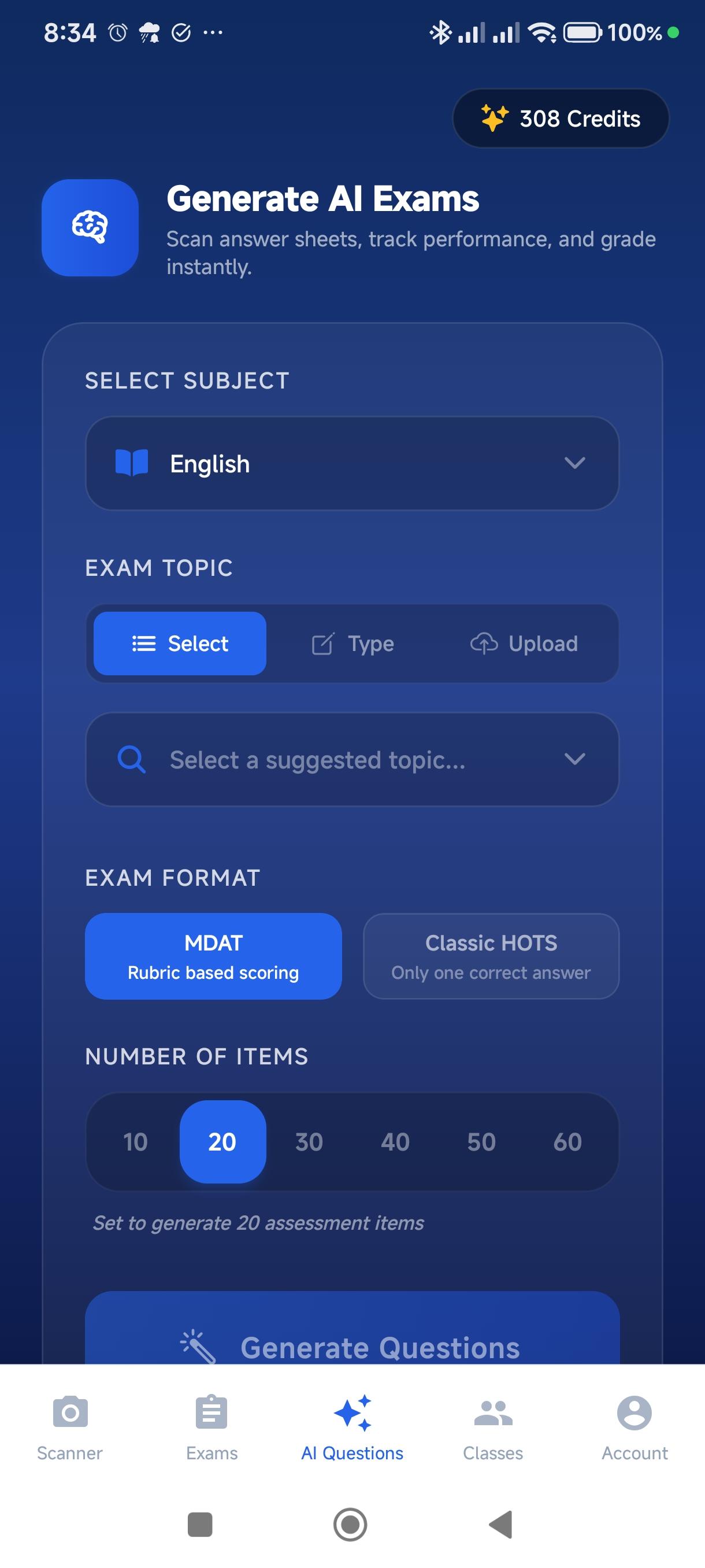
AI-Powered Exam Generation
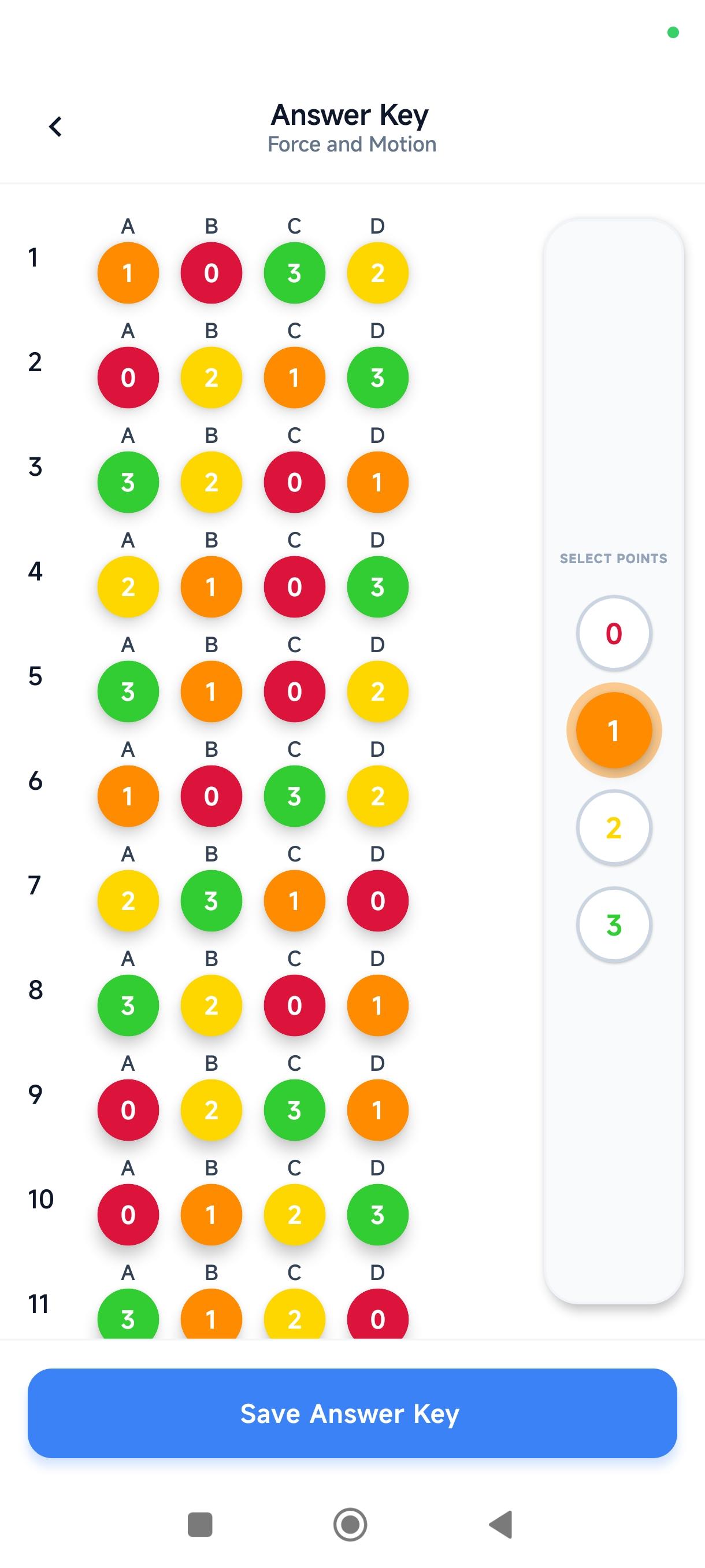
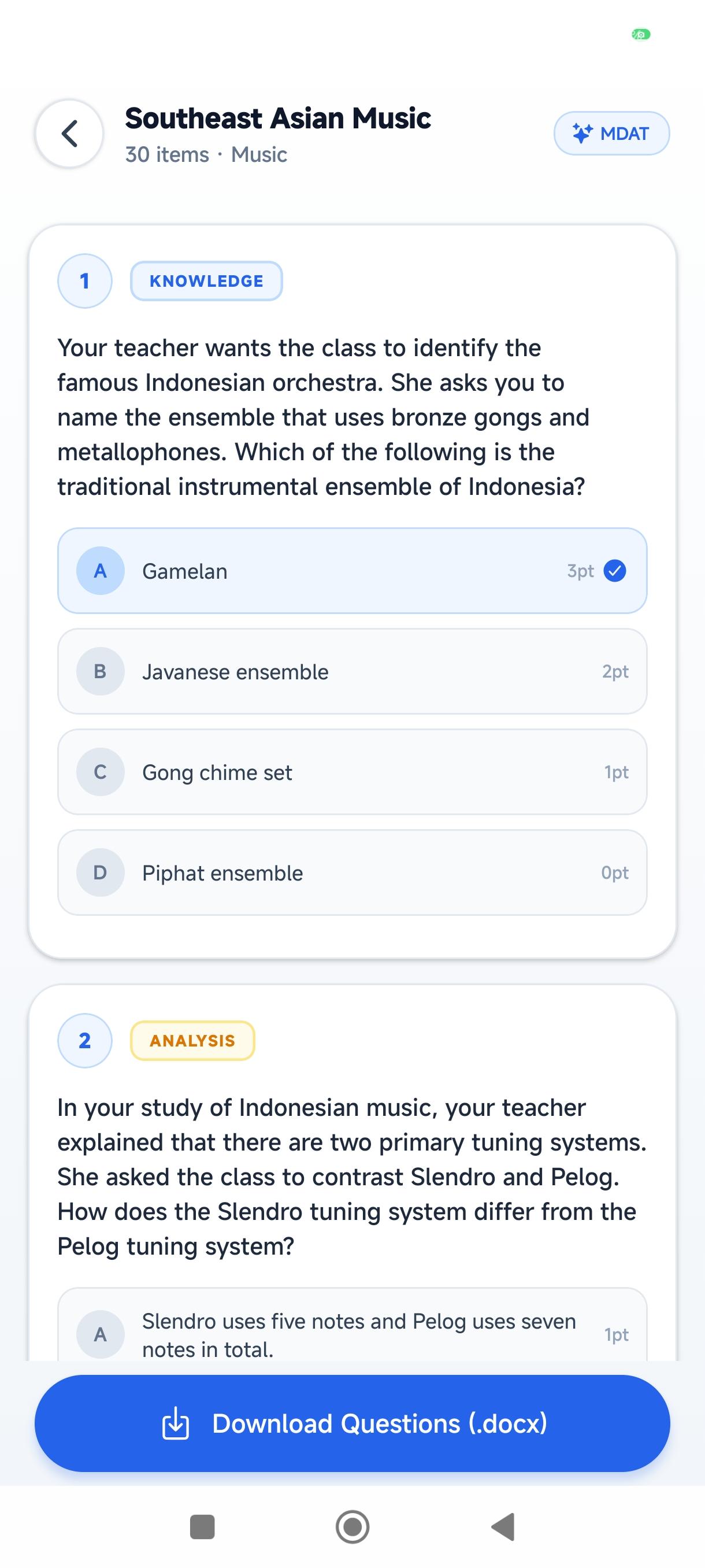
Stop spending hours writing questions and answer keys. Our advanced AI automatically generates high-quality MDAT exams tailored to your subject, complete with filled questions and an automatic answer key.
- Instant MDAT question generation
- Automatic answer key population
- Perfect for DepEd curriculums
Unified Smart Detection
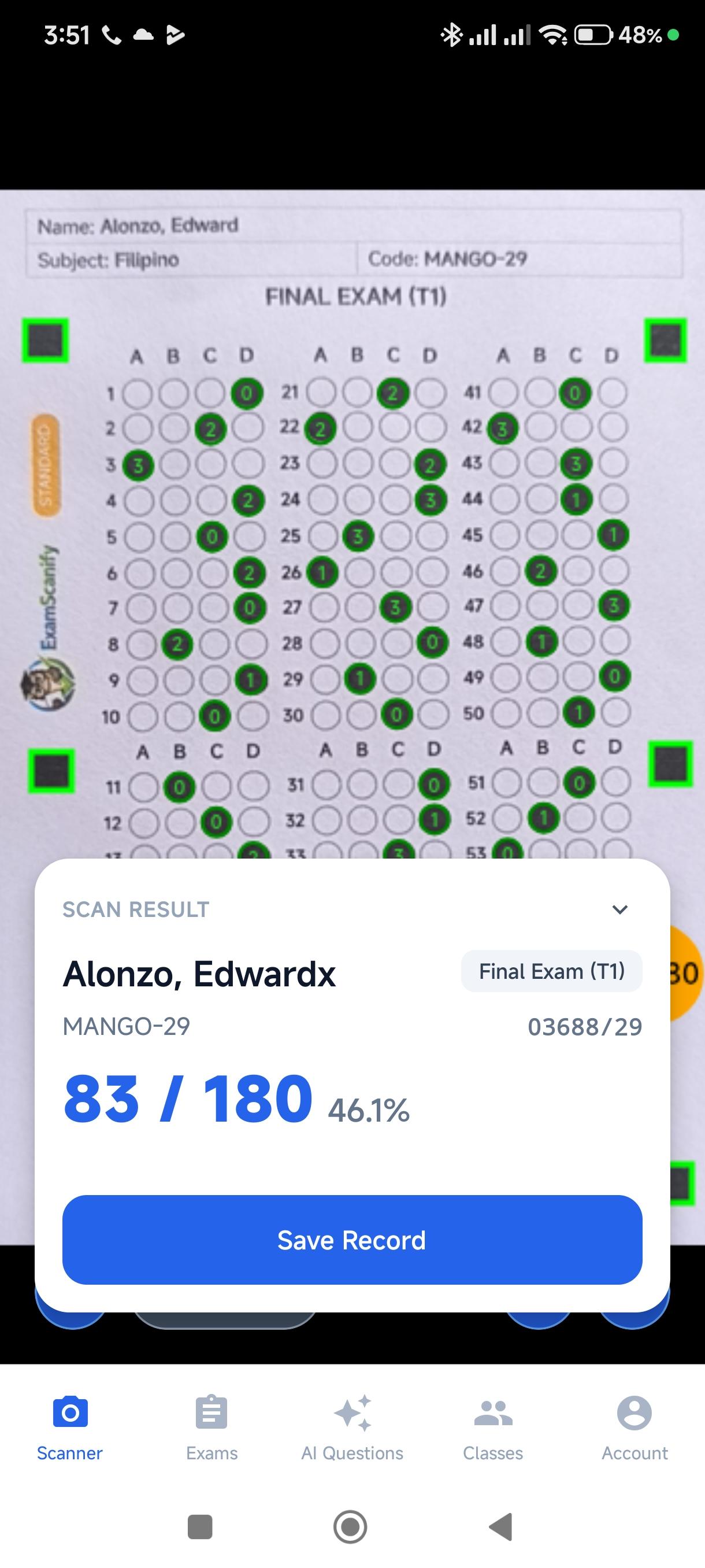
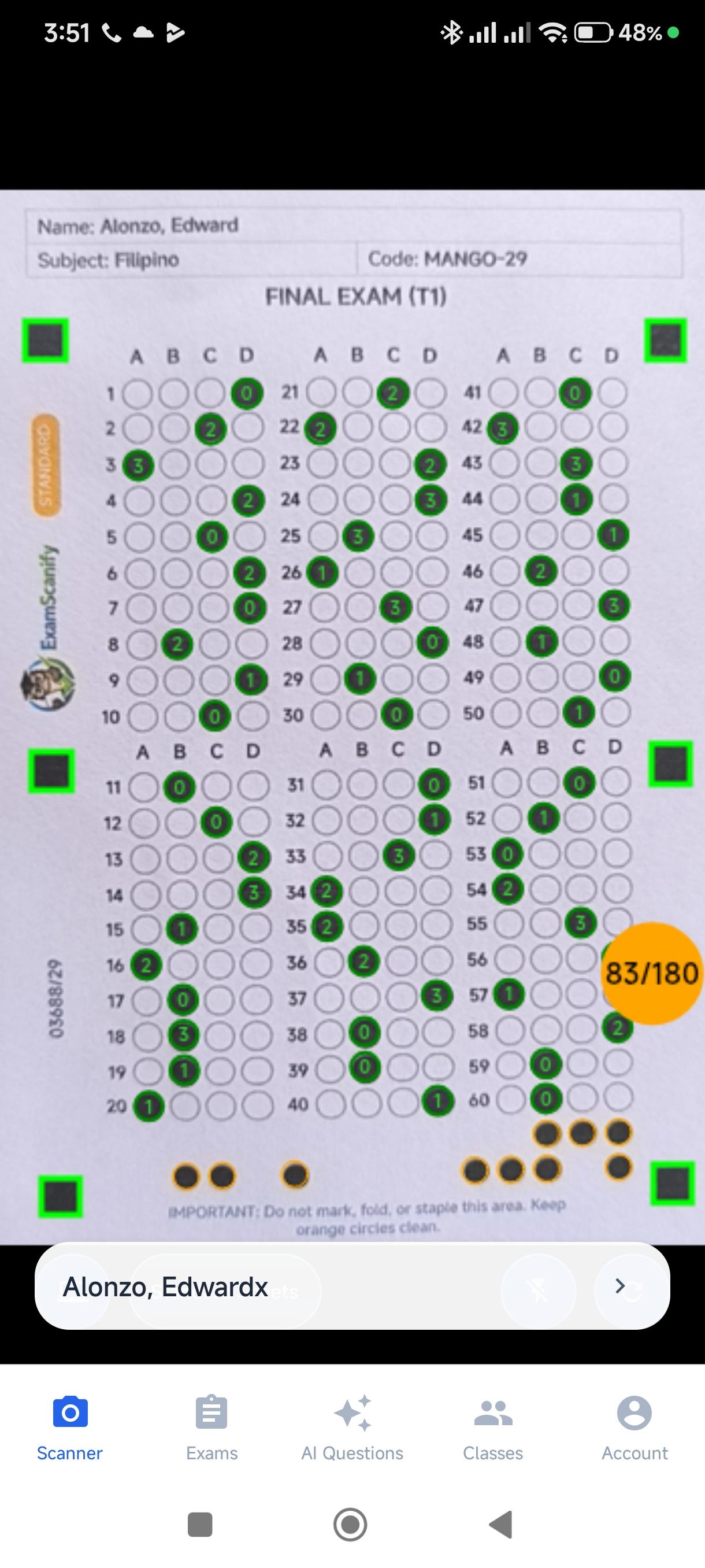
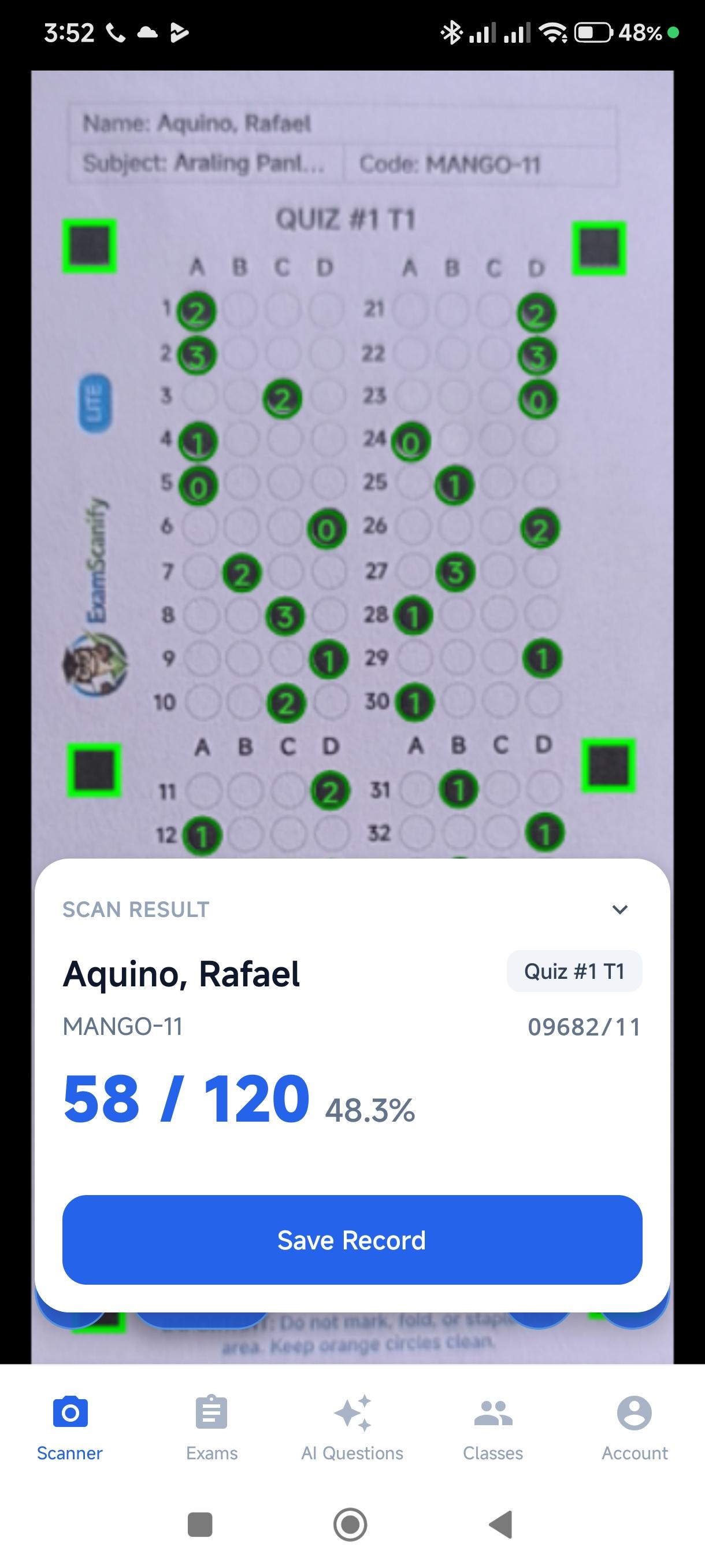
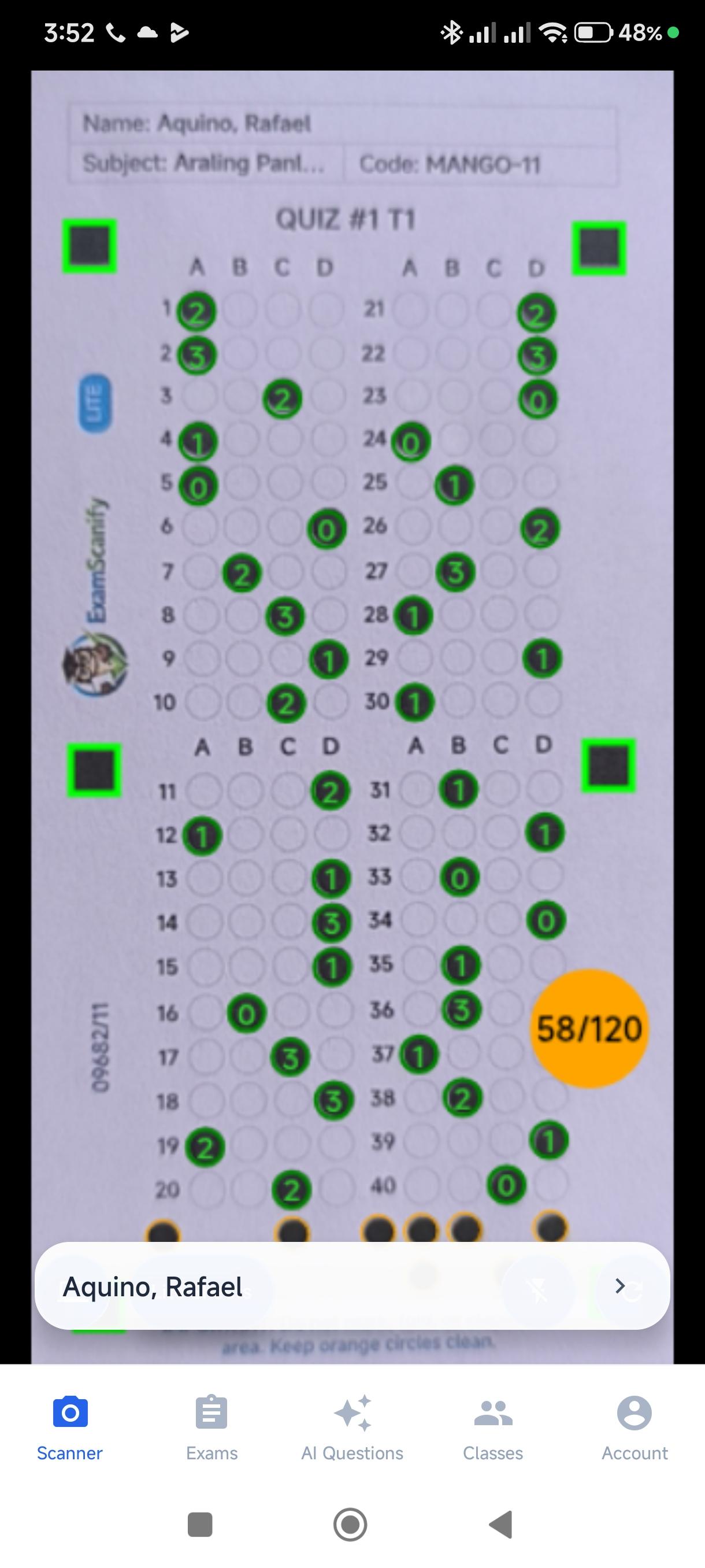
One scanner for all your exams. The app automatically identifies the exam type and student from dedicated codes—no manual sorting required.
Secured Cloud Storage
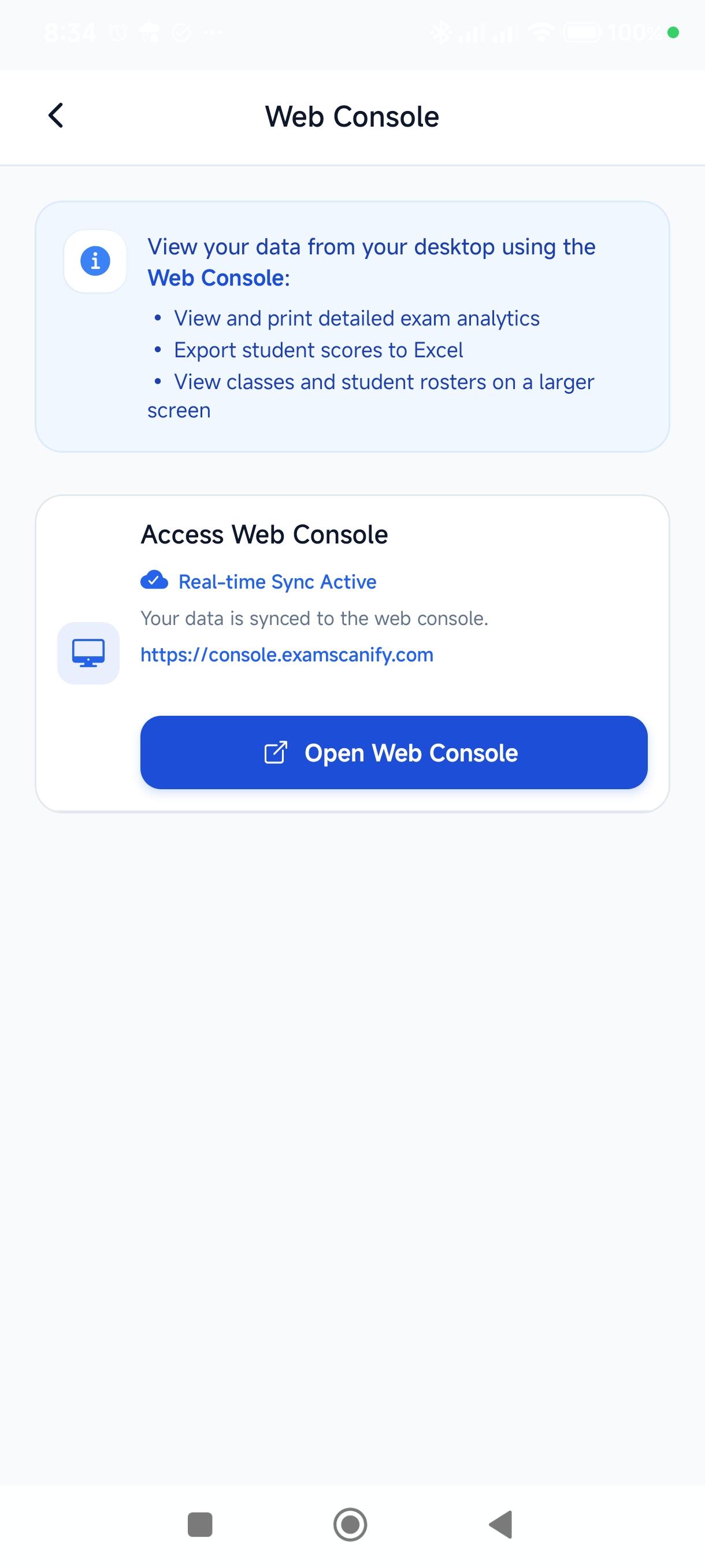
Syncs your data to a secured cloud, allowing you to access it in the web console for free.
Item Analysis
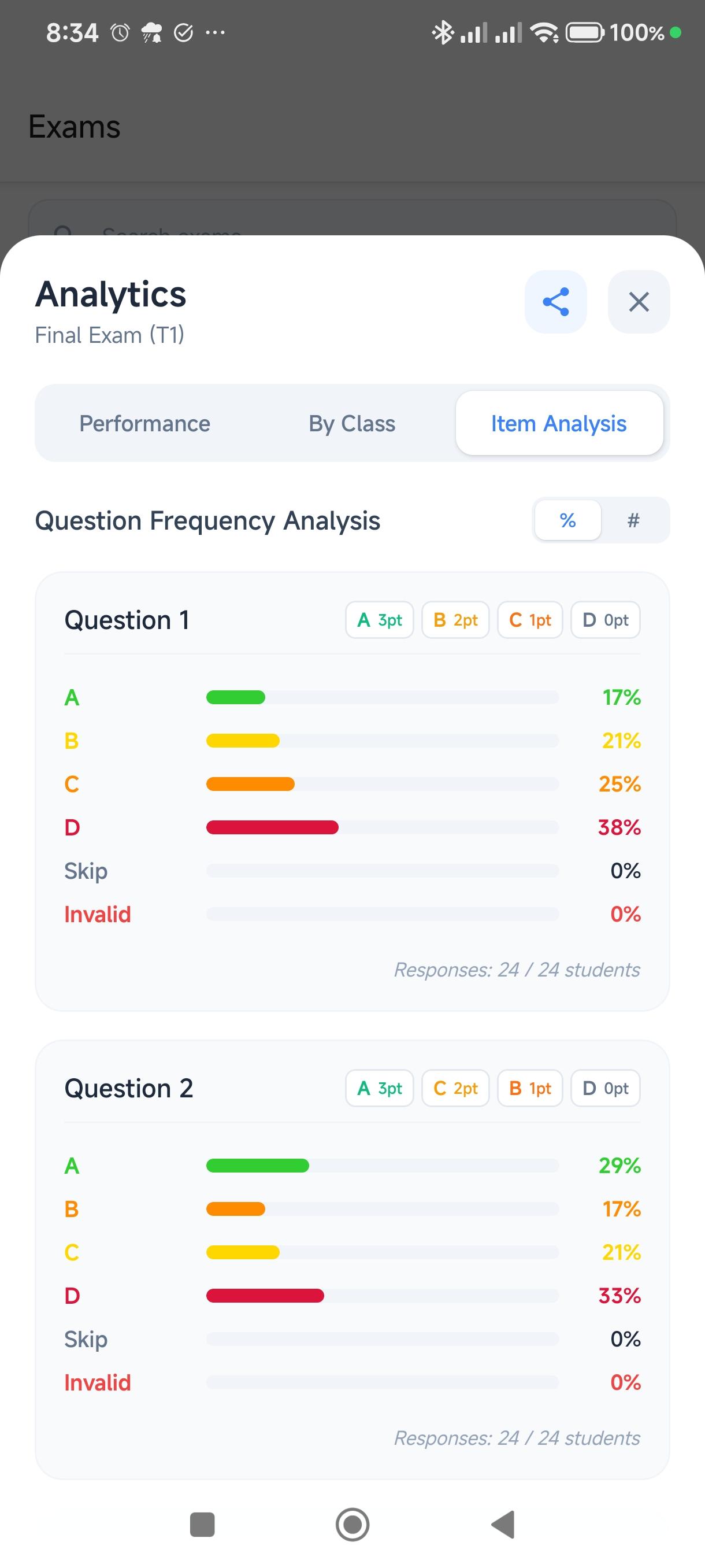
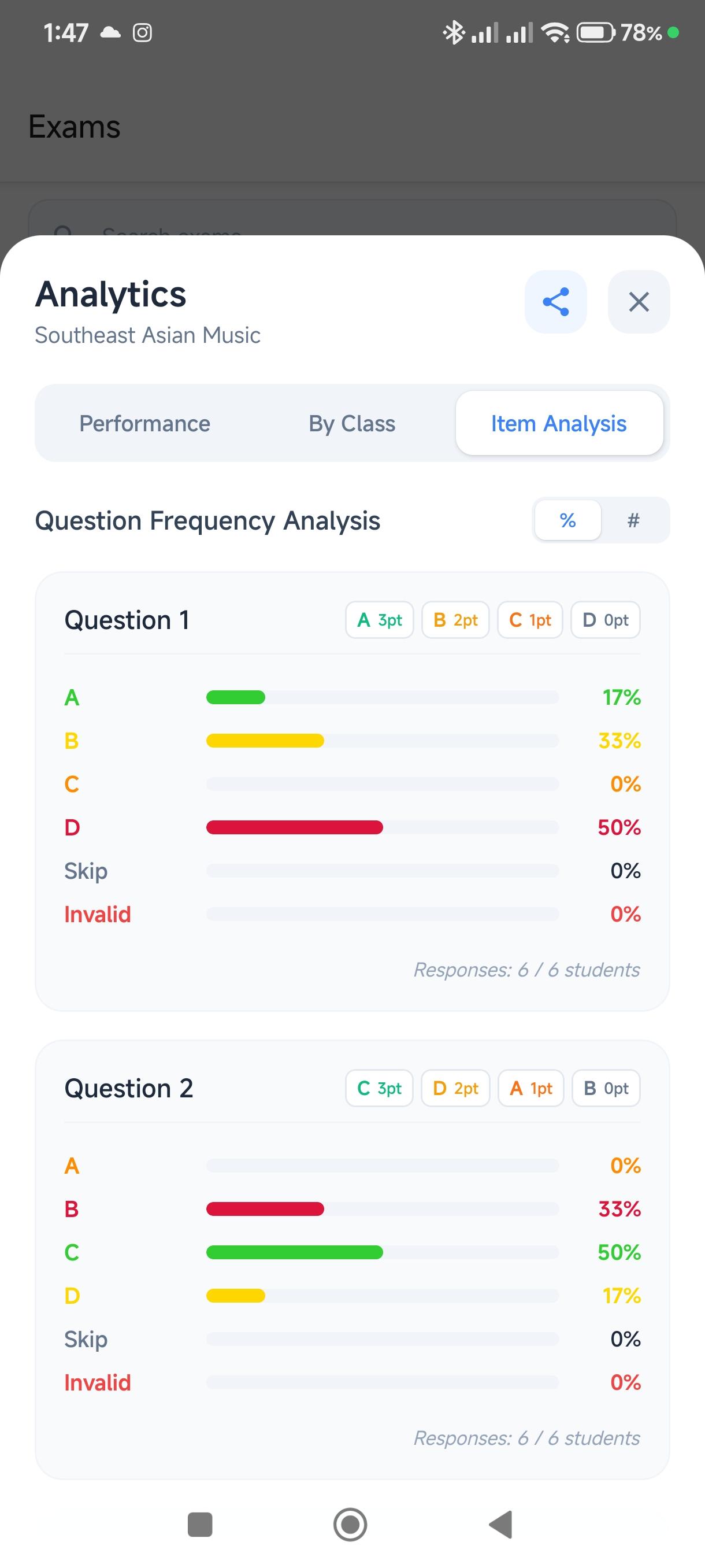
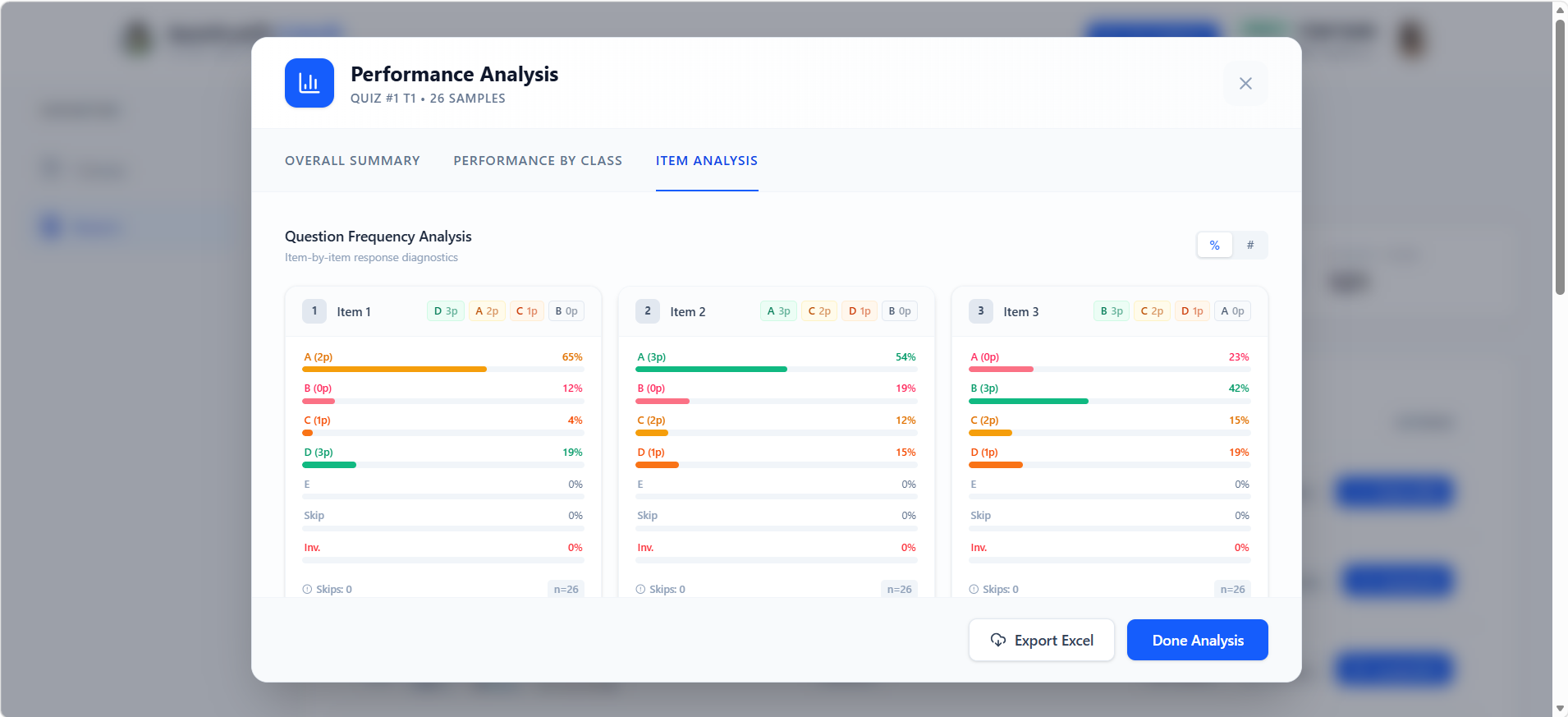
View detailed per-question analytics showing answer distribution and identify which questions students found challenging.
Class Management
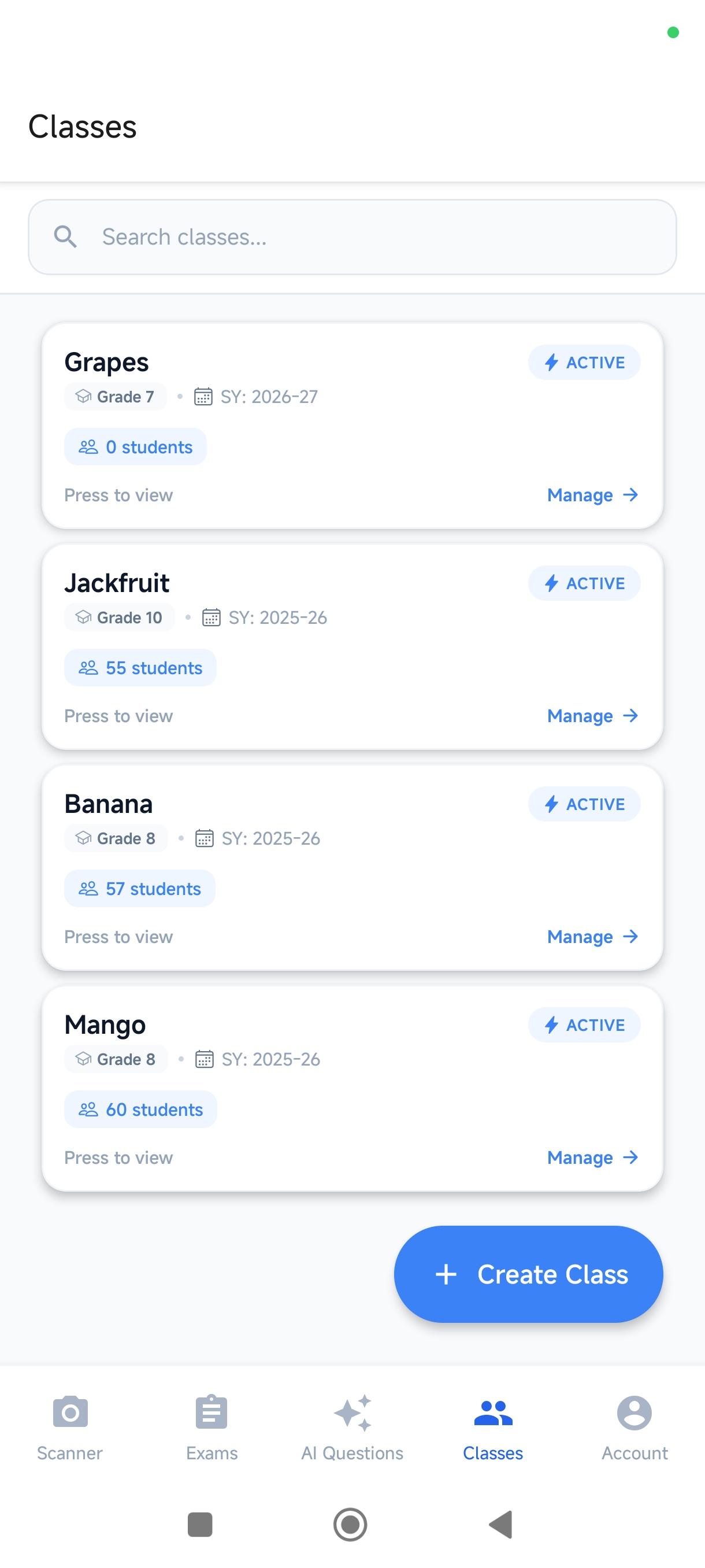
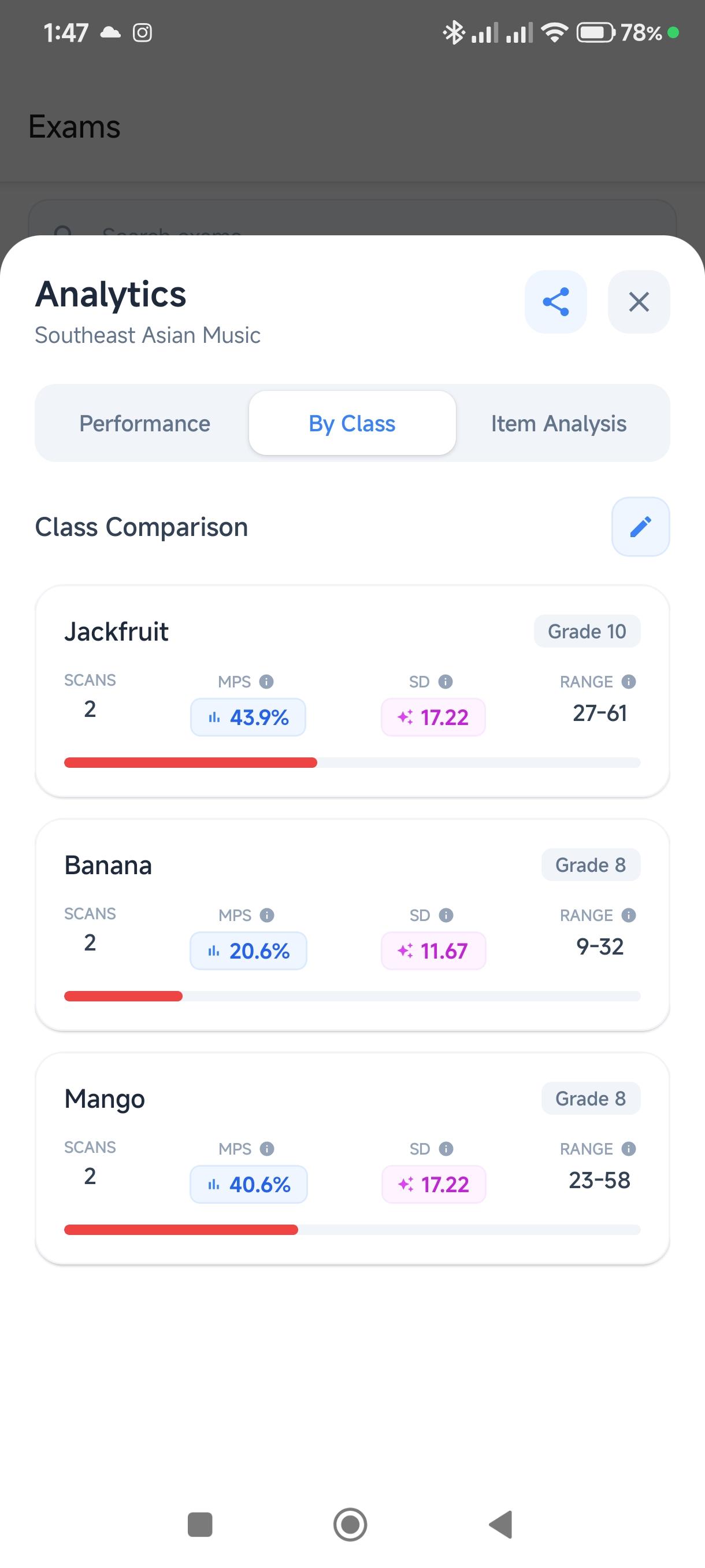
Organize students by class, track progress over time, and manage multiple sections effortlessly.
Excel Export
Generate professional Excel reports with student scores, percentages, and analytics. Share via email or cloud storage.
Real-time Cloud Processing
Leverage our advanced cloud infrastructure for lightning-fast scanning and real-time data processing.
See It In Action
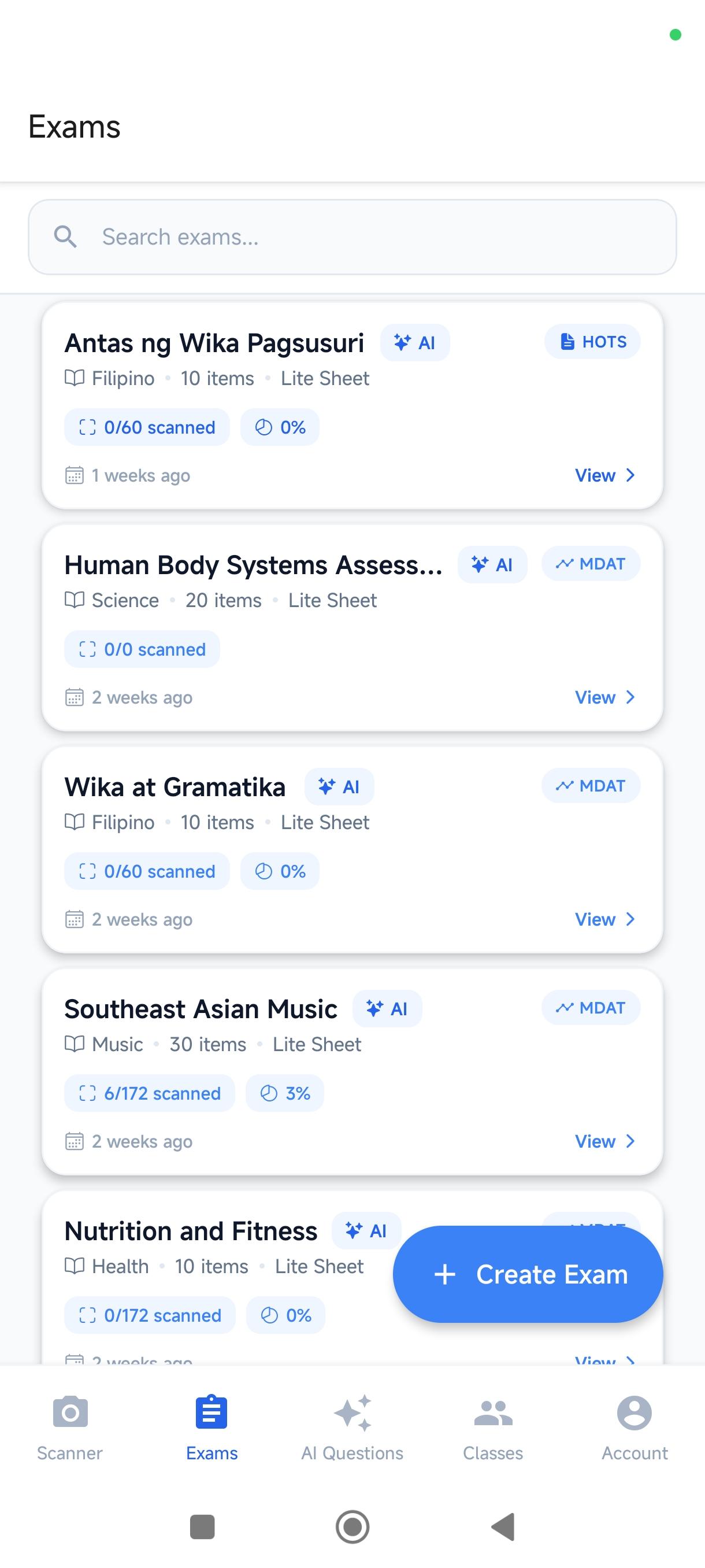
Every screen below is from the actual app — no mockups, no staging. Click any screen to enlarge.
Everything You Need on Paper
ExamScanify doesn't just grade — it generates the documents you need before and after the exam.
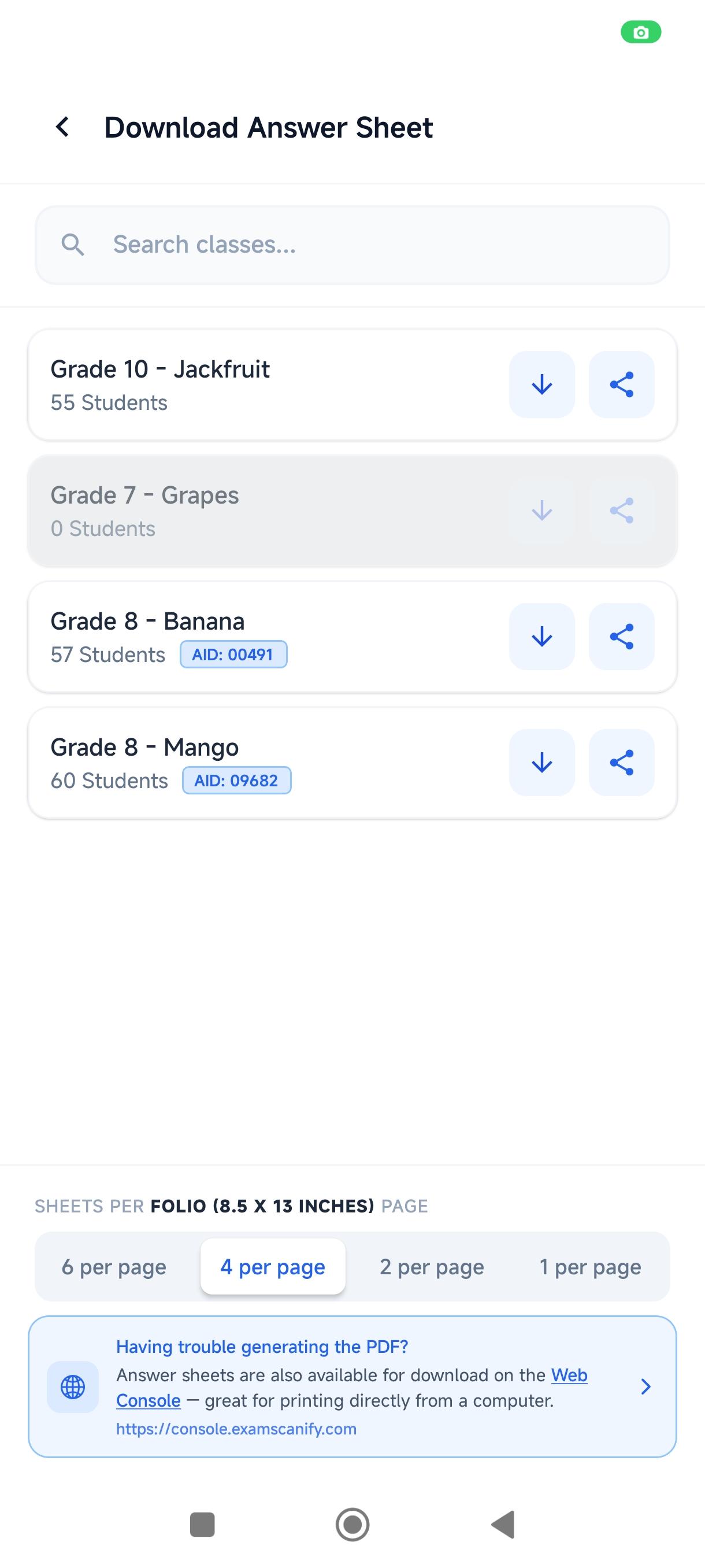
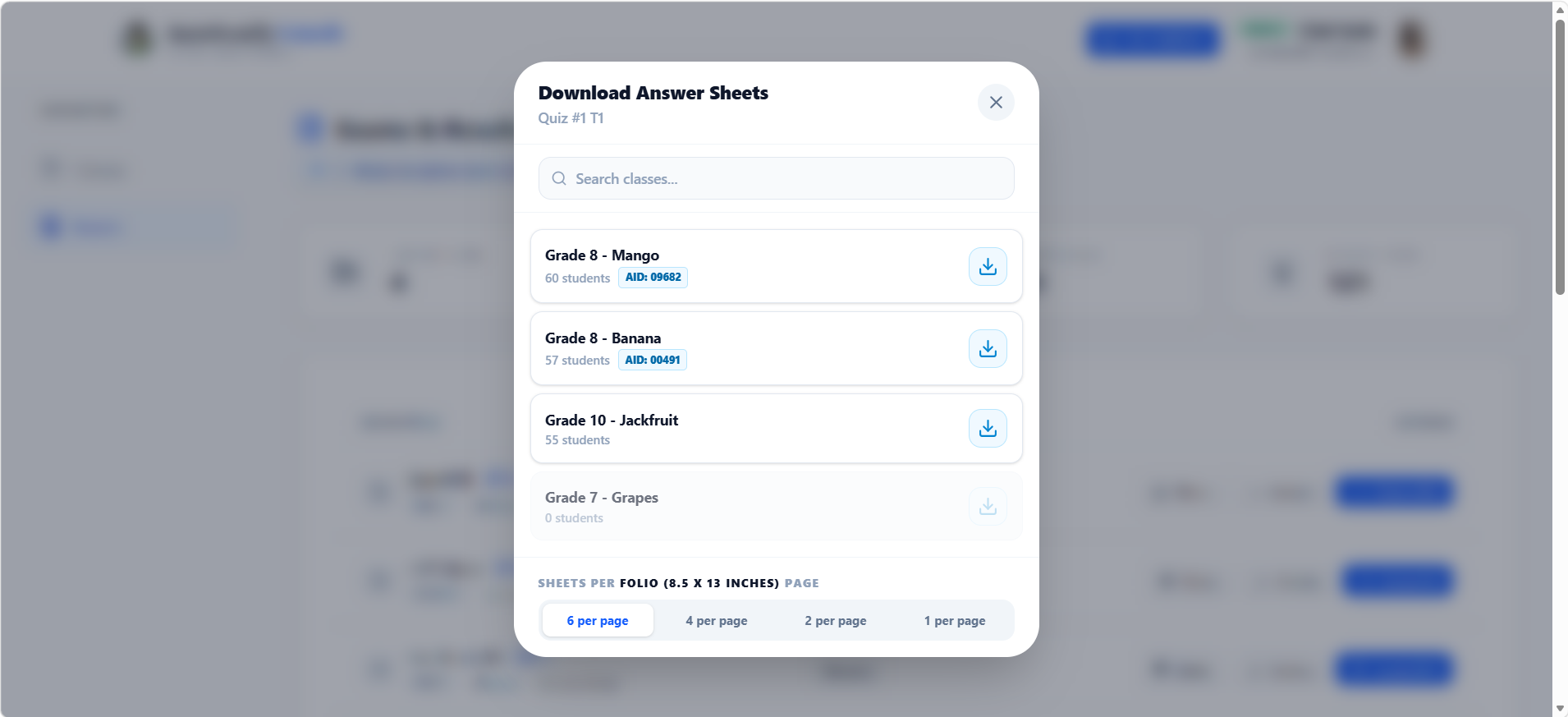
Print-Ready Answer Sheets
Per Student, Per Class — Automatically
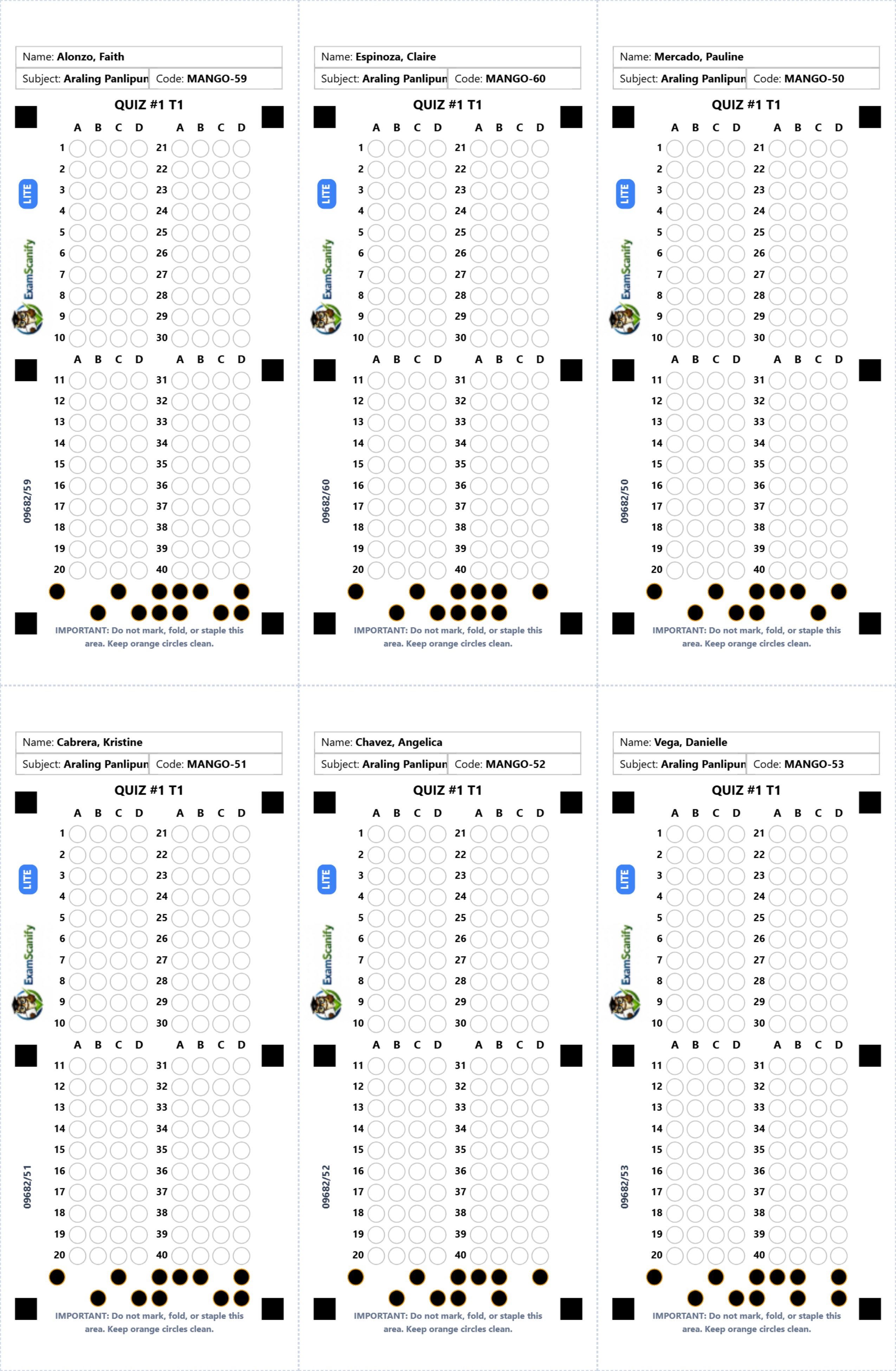
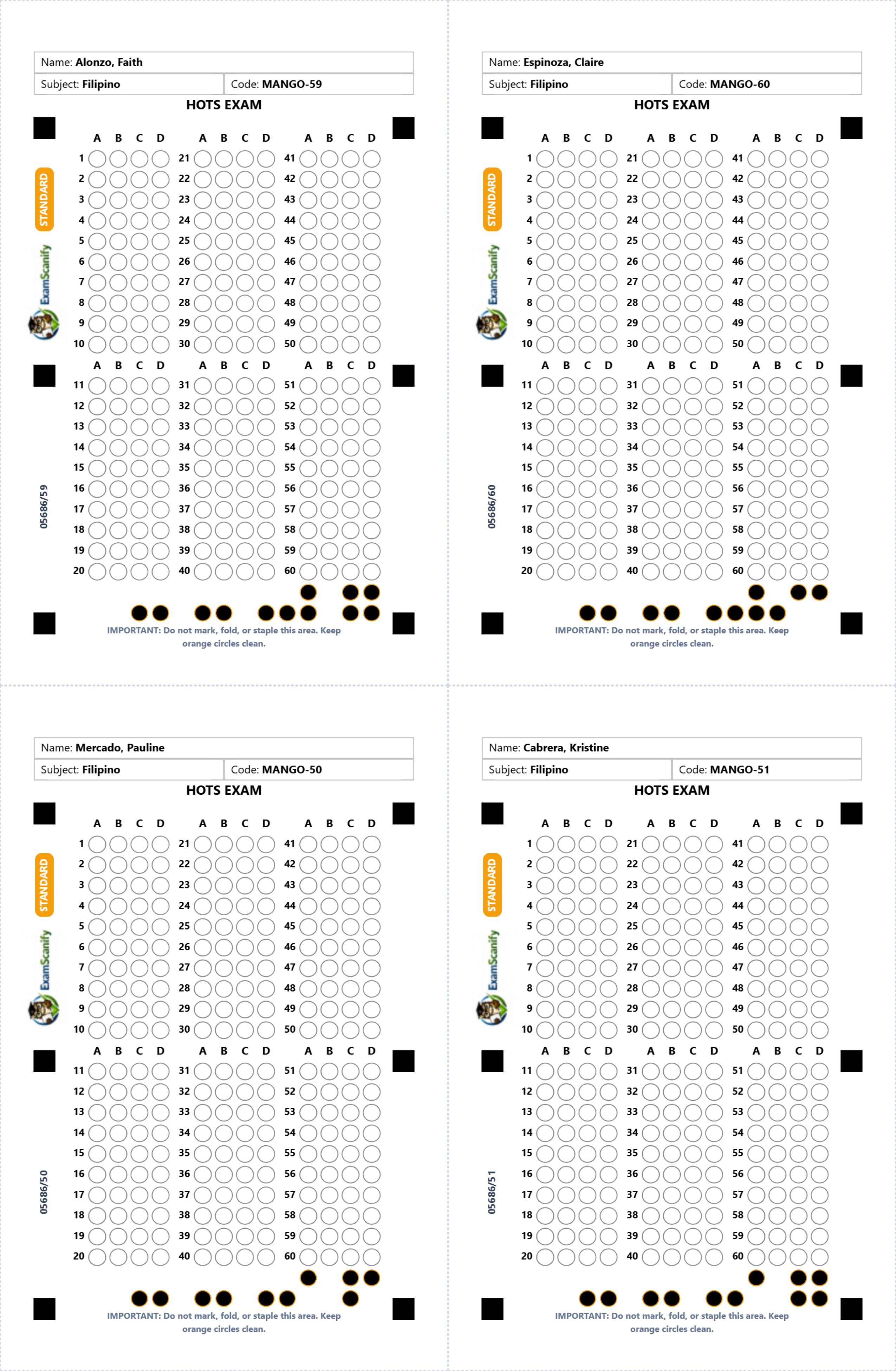
ExamScanify generates personalized answer sheets for every student in your class. Each sheet is pre-printed with the student's name, class code, and unique ID — ready to print and hand out. The app's scanner reads these codes automatically during grading.
- Student name & class code pre-filled
- Unique student ID encoded for auto-detection
- 6 students per page to save paper
- ExamScanify watermark for authenticity
AI-Generated Question Papers
DepEd-Aligned, Export-Ready
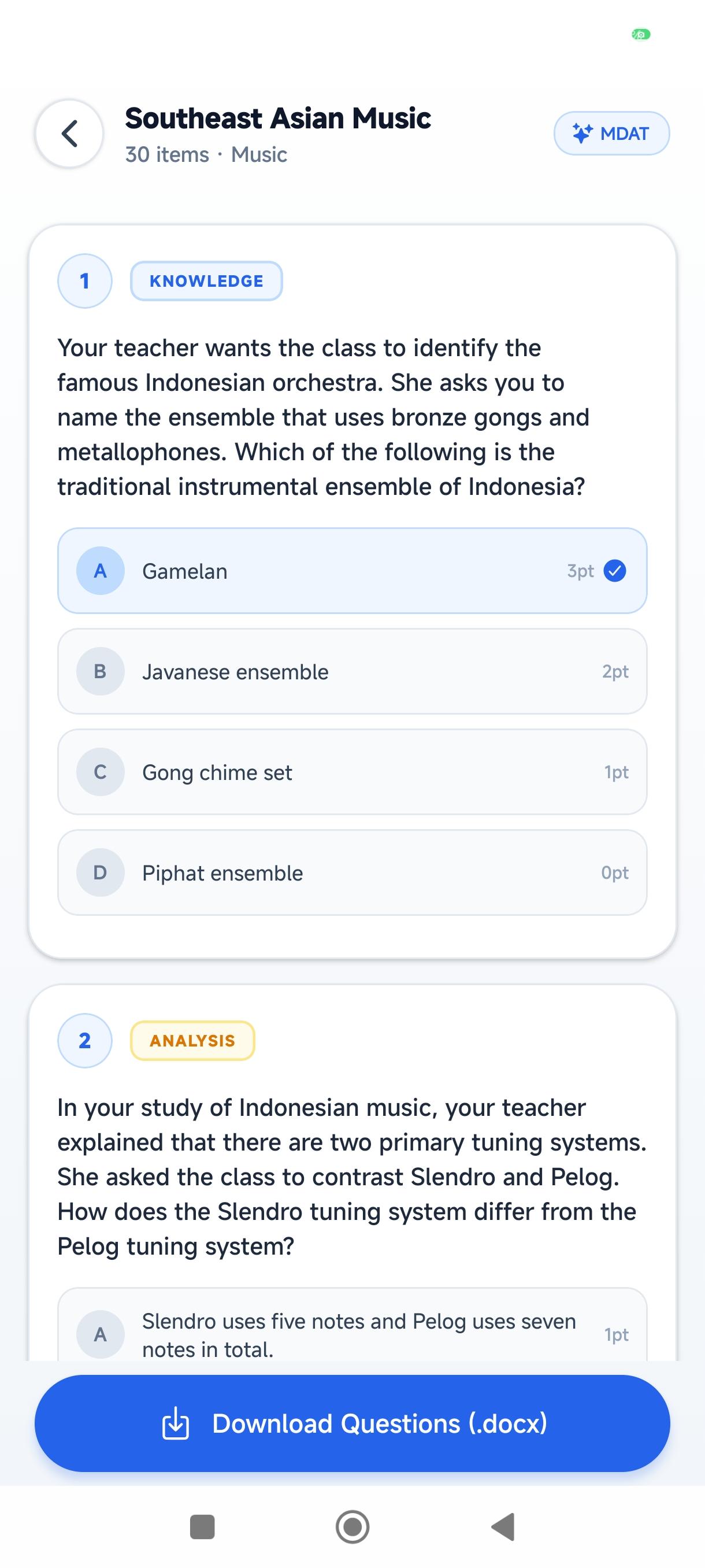
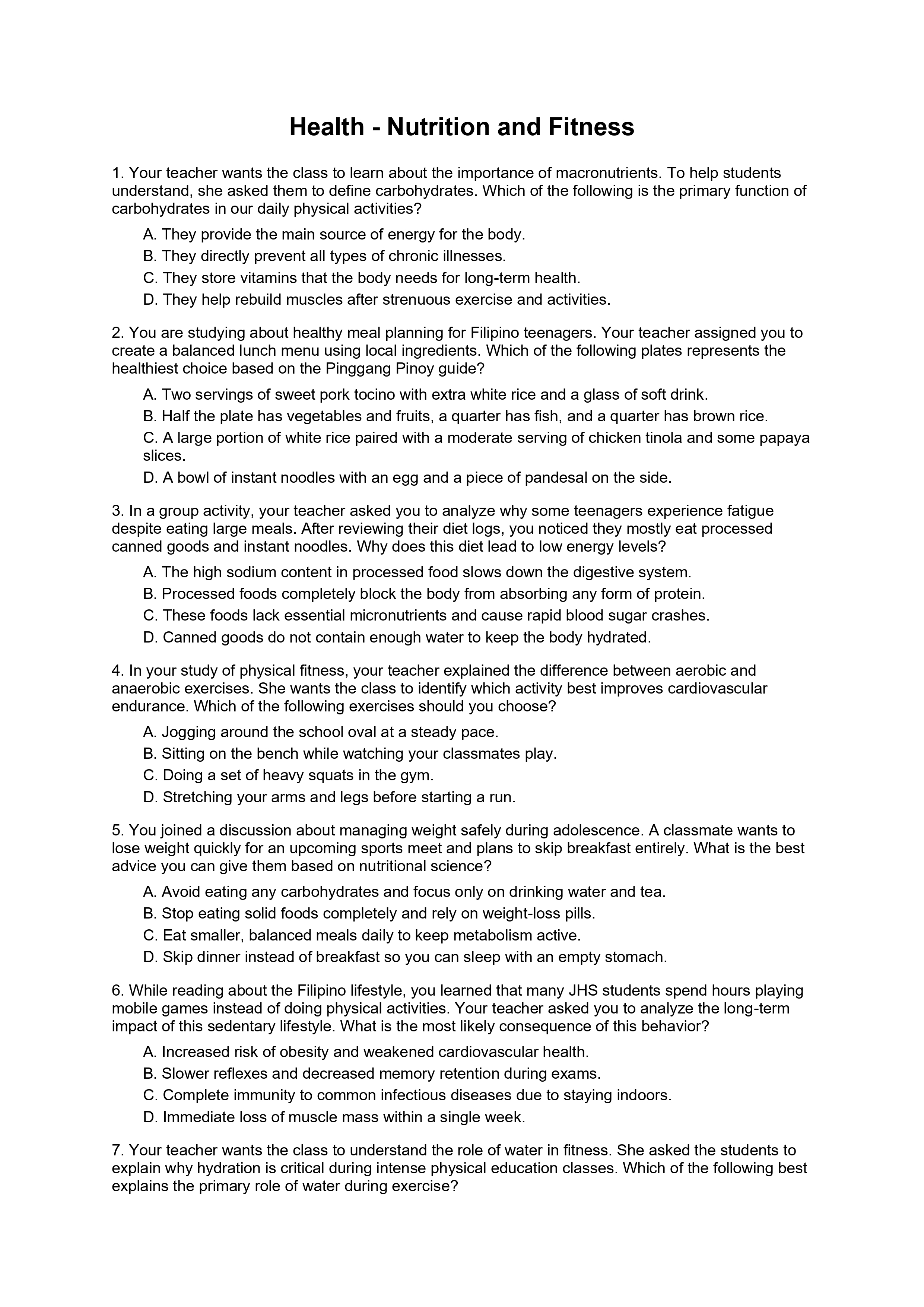
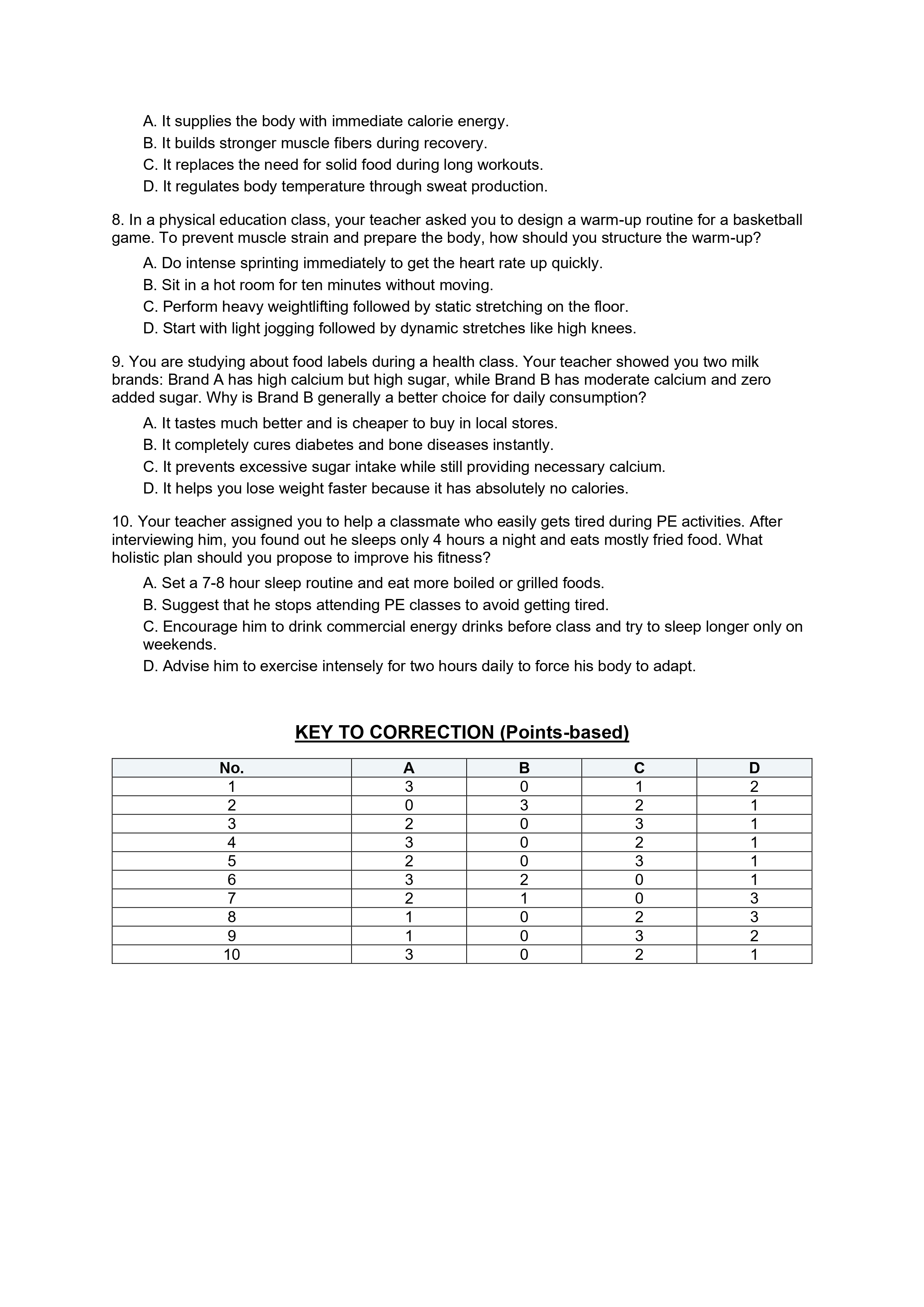
The AI Exam Generator produces complete, DepEd-aligned MDAT question papers formatted for printing. Each document includes all multiple-choice items and a Key to Correction table with point values per option — no manual formatting needed.
- Full scenario-based MDAT questions
- Point-based Key to Correction included
- Exports as .docx — editable in MS Word
- Tailored to DepEd subject competencies
Unlock Classroom
Intelligence
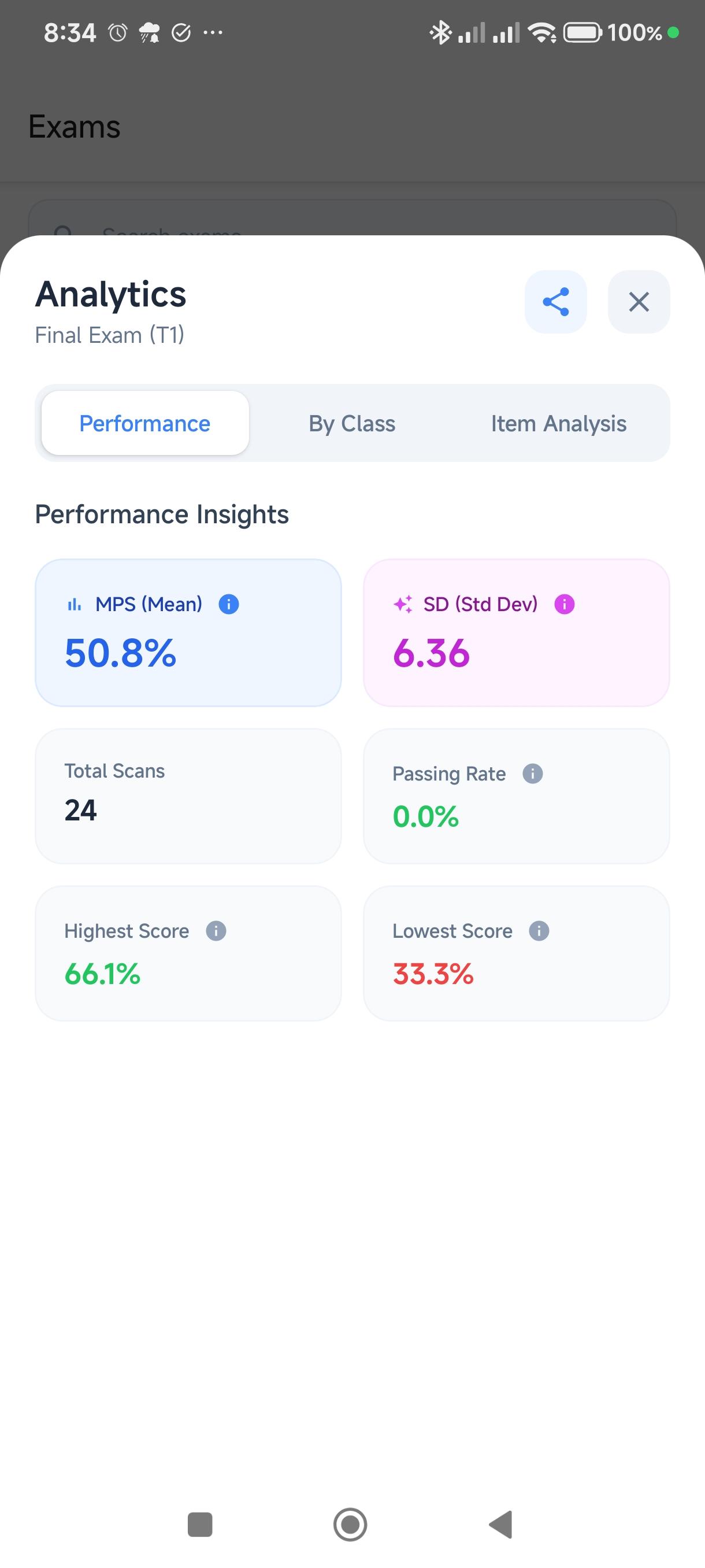
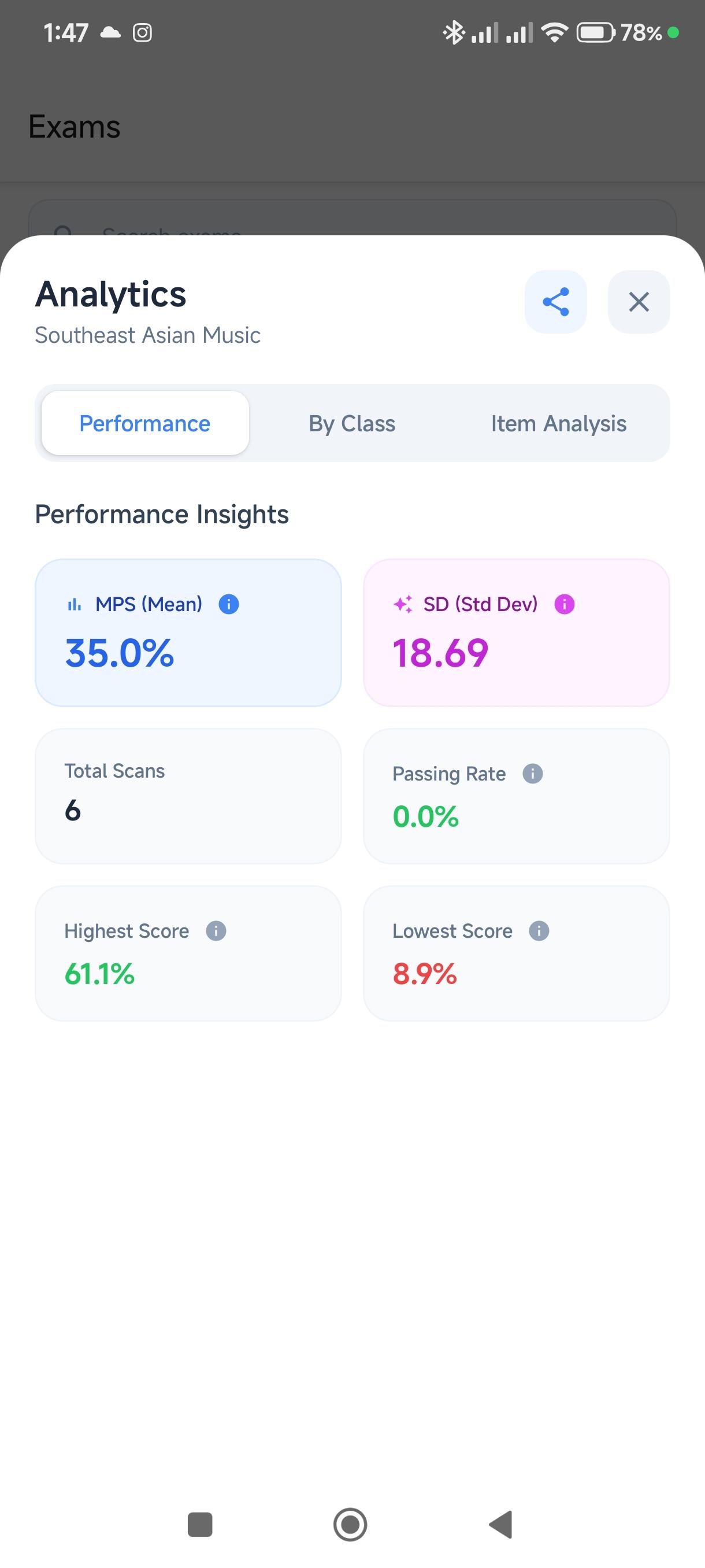
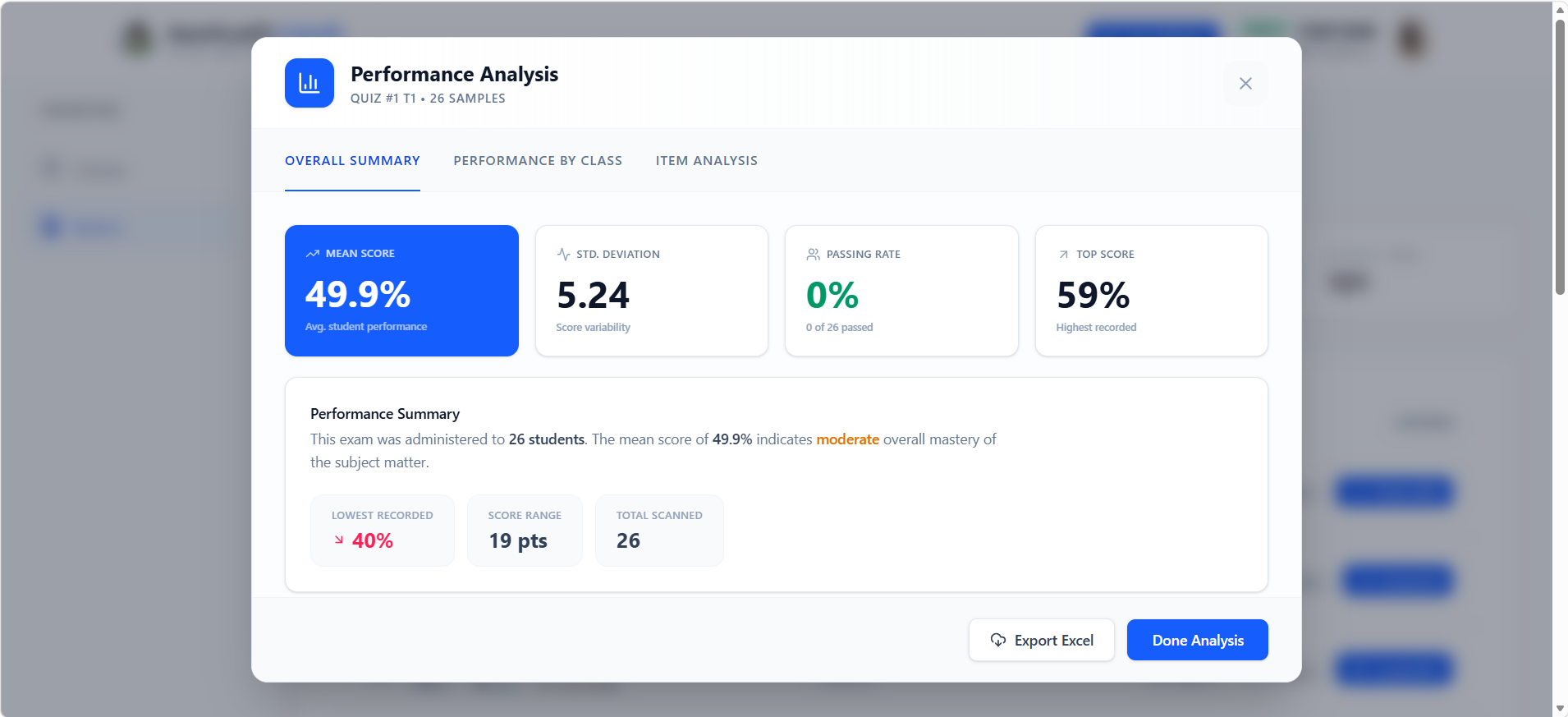
Beyond just grading, ExamScanify provides a deep dive into student performance. Identify learning gaps instantly with automated item analysis and visual reporting.
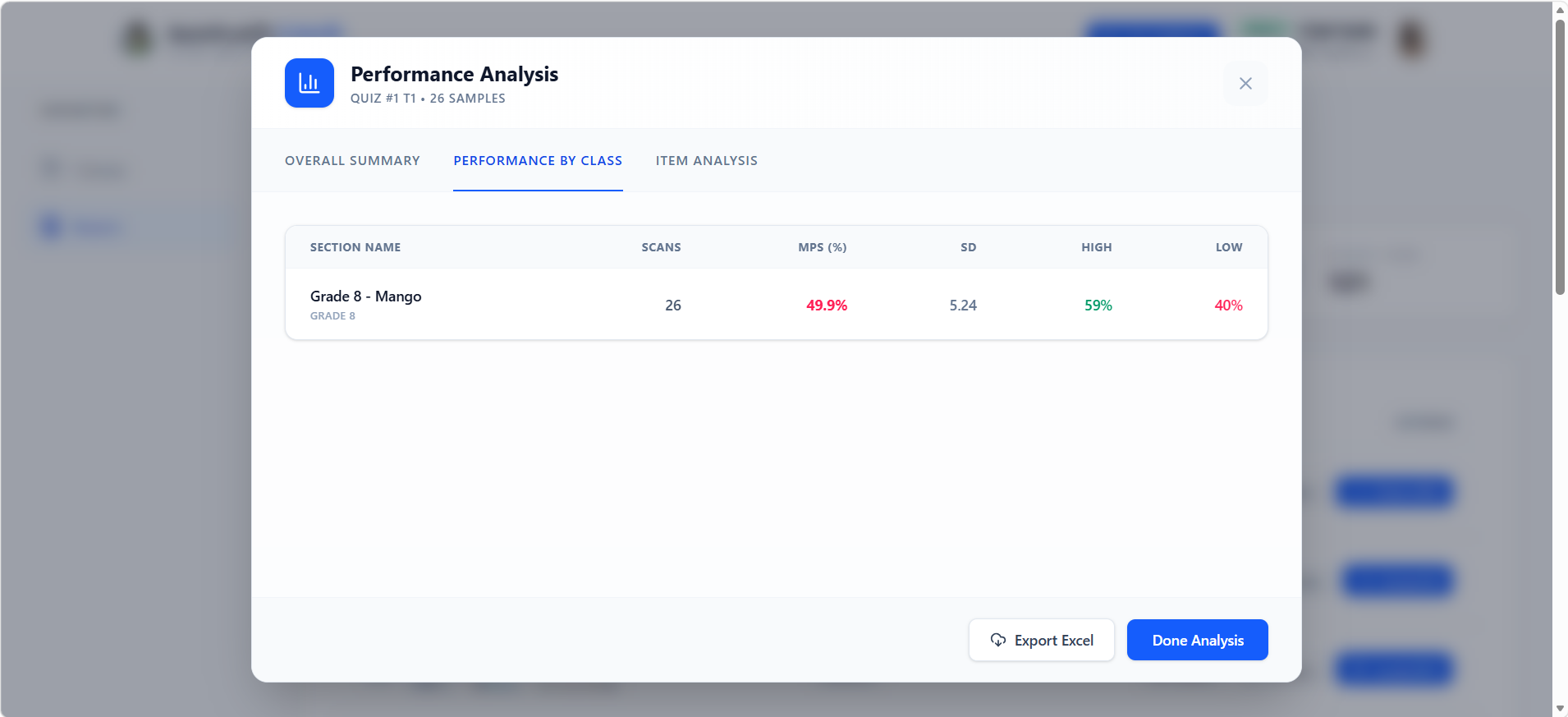
Performance Benchmarking
Compare results across multiple classes and exam versions effortlessly.
Distractor Analysis
See which wrong answers students are choosing to identify specific misconceptions.
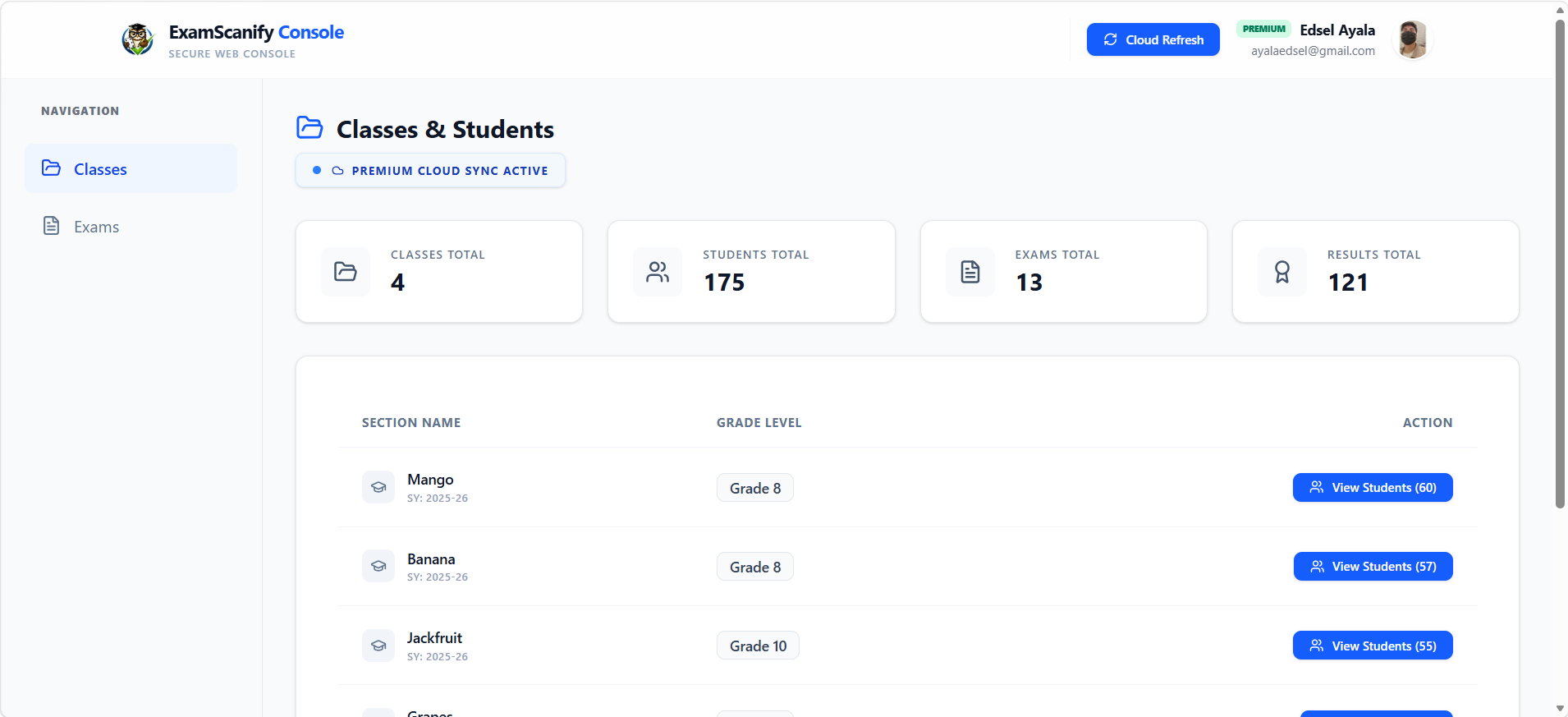
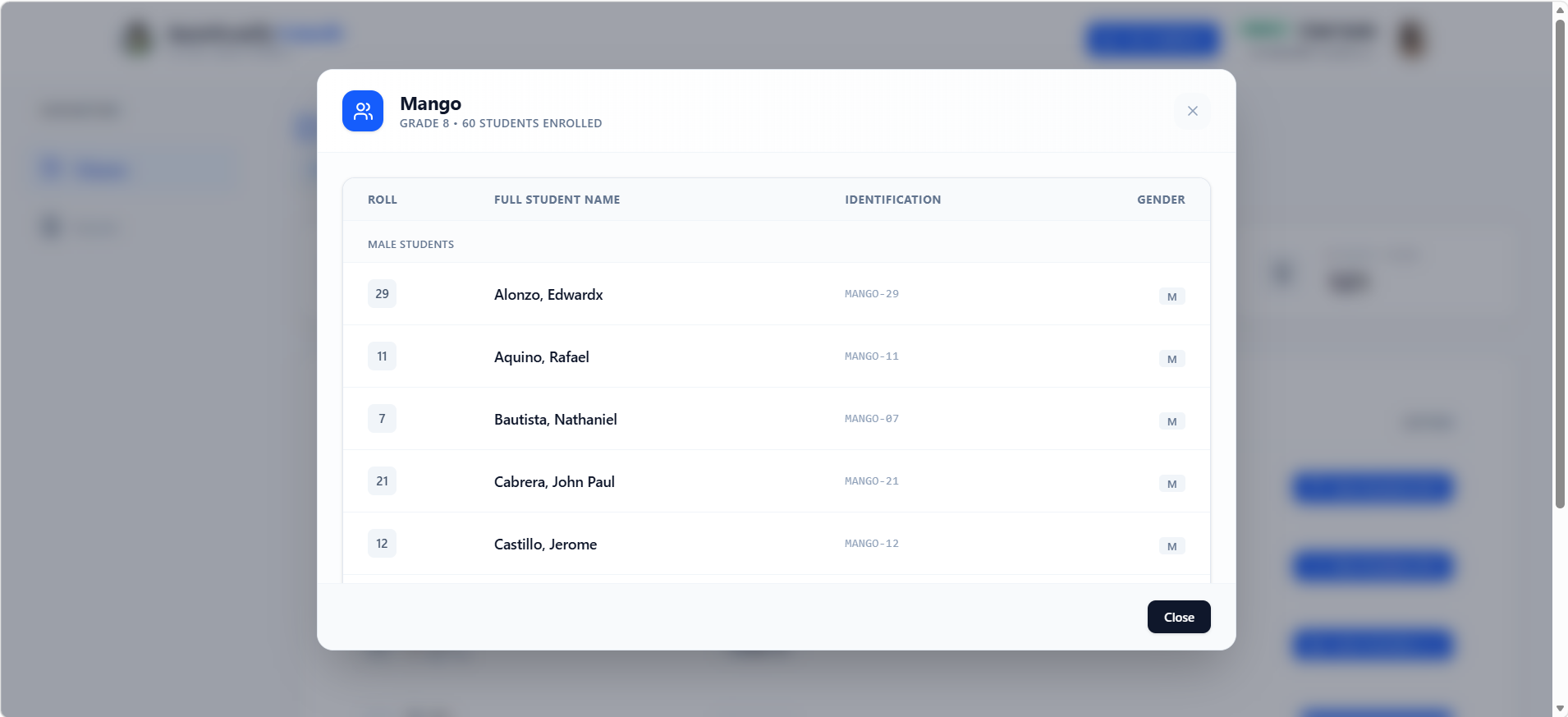
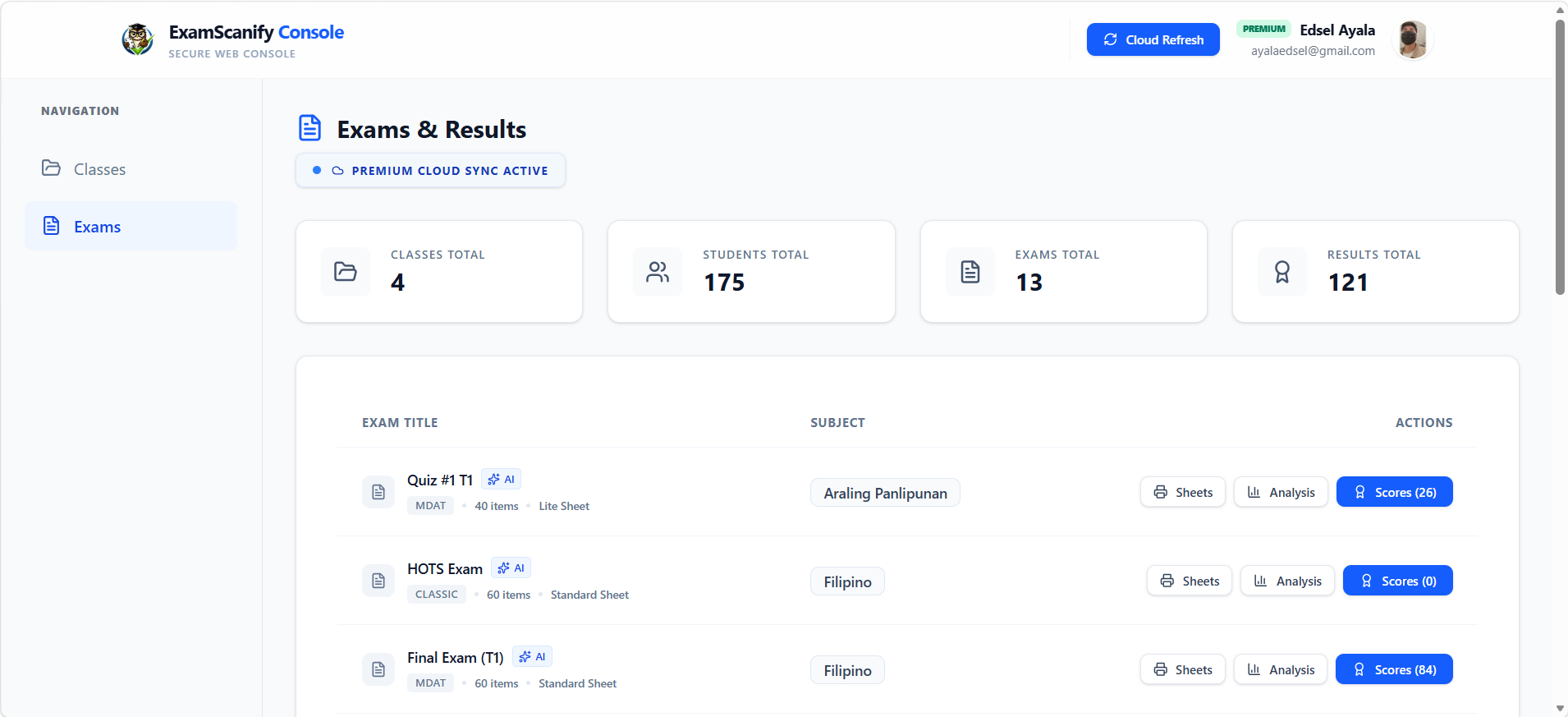
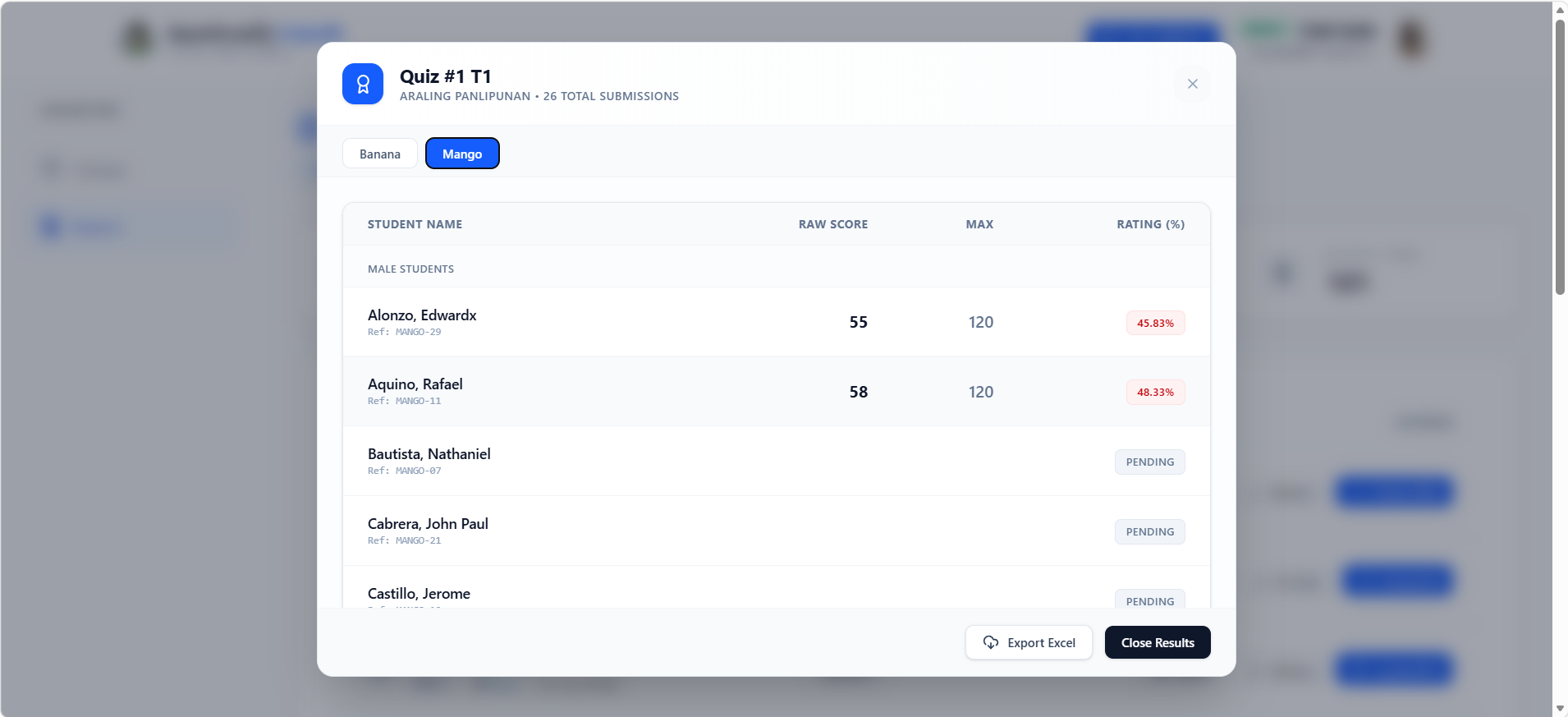
Your exams, accessible anywhere
Teachers log in to the web console on their desktop to manage classes, review exam records, and export comprehensive performance analytics — all in one place.
Simple 3-Step Process
From setup to insights in minutes
Create Your Exam
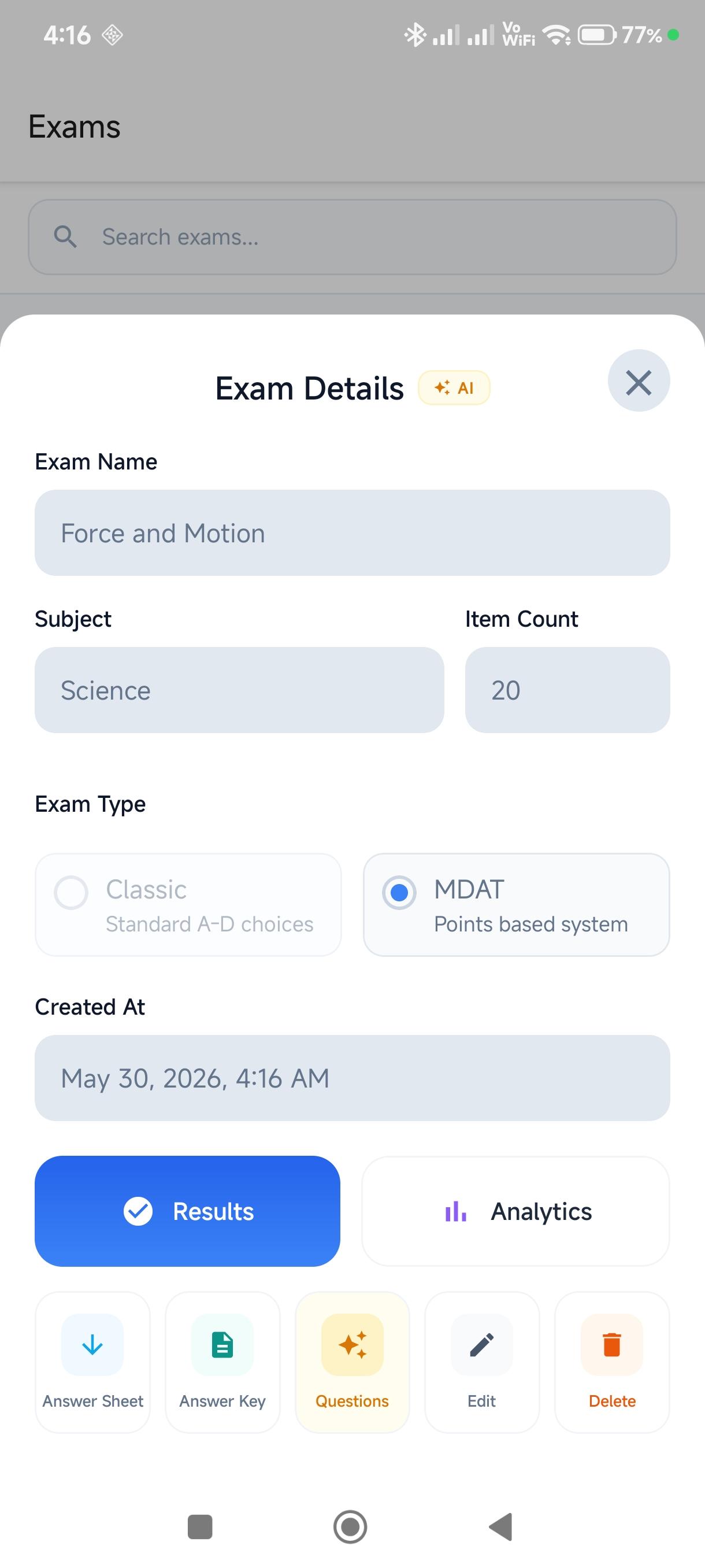
Create your exam manually with Classic or MDAT modes, or use our AI Exam Generator to instantly create MDAT questions tailored for DepEd subjects.
One Scanner fits All
No need to switch folders or settings. Use a single scanner for all your exams. The app detects the student and exam type automatically from the sheet's code.
Analyze & Export
View detailed analytics and student performance trends. Export to Excel or access your recorded grades on desktop via console.examscanify.com.
Simple, Transparent Pricing
Start free and upgrade anytime — no hidden fees, no surprises.
Free Forever
Essential tools for every teacher
- No monthly scanning limits
- AI MDAT Exam Generation
- Unified Smart Auto-Detection
- Item Analysis & Data Exports
- Web console access
- Contains Ads
Premium Pass
per year
Ultimate value for teachers
- No advertisements
- Realtime web console sync
- Support development
Frequently Asked Questions
How does the scanning work?
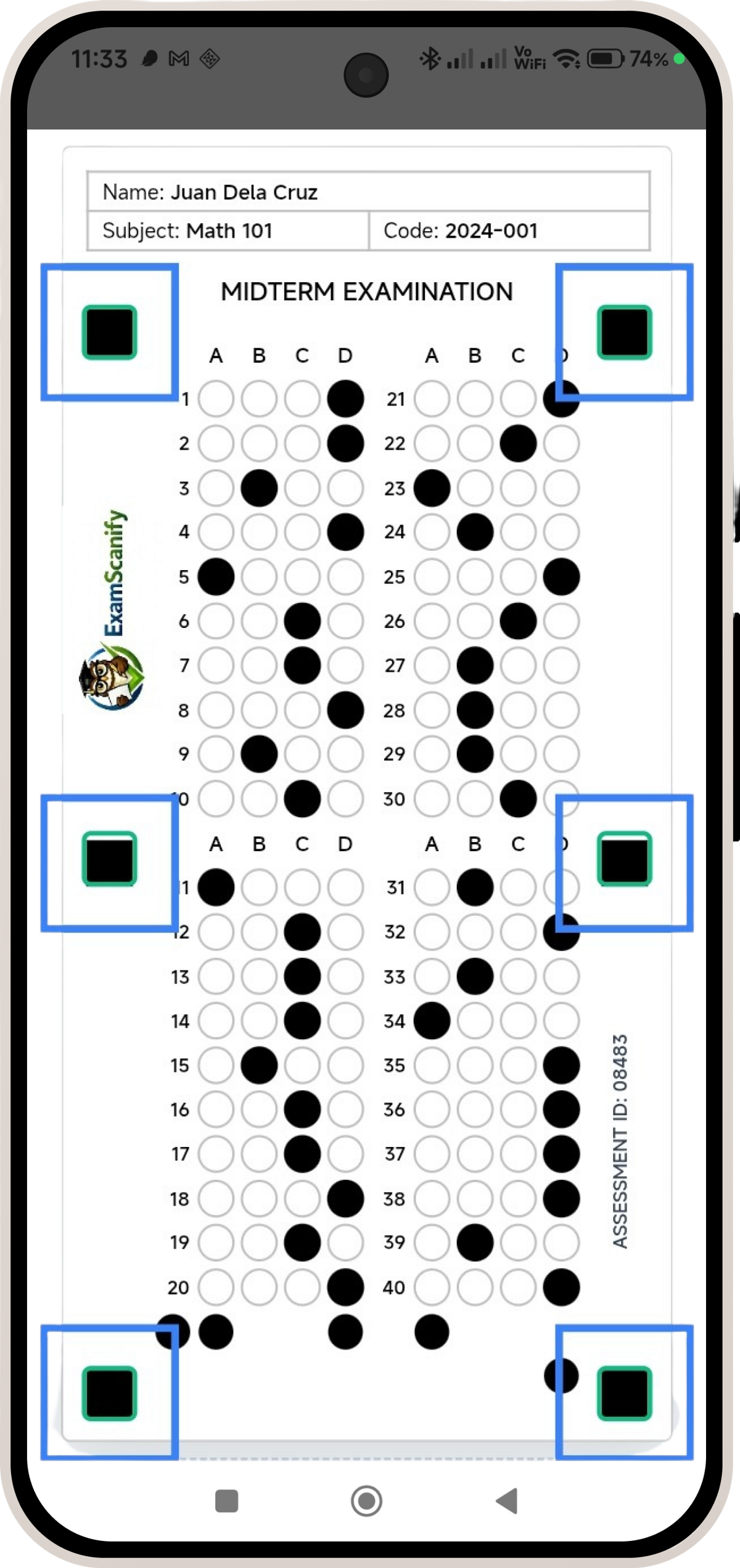
ExamScanify uses OpenCV technology to detect the 6 black markers on your answer sheet. Once all markers are detected (shown by green indicators), the app automatically captures and processes the image, detecting shaded bubbles and calculating scores in real-time based on your answer key.
How does the AI Exam Generator work?
The AI Exam Generator allows you to instantly create high-quality MDAT questions tailored for DepEd subjects. Just specify your topic, and the AI will automatically generate the questions, choices, and fully populate the answer key for you in seconds.
Is my student data safe?
Absolutely! All student names, codes, and scores are securely synced to our encrypted cloud infrastructure. This ensures your data is safely backed up and accessible from any device or the web console, while being protected by industry-standard encryption.
Can I use it offline?
ExamScanify is designed to handle all core scanning and grading tasks on-device. You can manage student records and view analytics locally, while modern features utilize standard connectivity for optimal performance.
What's the difference between Classic and MDAT modes?
Classic mode uses traditional right/wrong scoring where each correct answer gets 1 point. MDAT mode allows you to assign different point values to each answer choice, enabling partial credit and more nuanced assessment of student understanding.
How do I export results?
Open any exam and tap the Share icon. ExamScanify will generate a professional Excel file containing student scores, percentages, and analytics. You can then share it via email, save to cloud storage, or transfer it to your computer.
Do I need to select the exam before scanning?
No! Unlike competitors that use generic answer sheets, ExamScanify uses dedicated sheets with built-in codes. Our unified scanner automatically identifies which exam you are grading and which student it belongs to, allowing you to scan a stack of different exams in one go without changing any settings.
Is scanning really unlimited?
Yes! All users can scan unlimited times. Free users can easily unlock additional scanning sessions for free by completing a brief interaction when prompted. Premium users (₱299/per year) enjoy a completely seamless, uninterrupted experience with priority access to all features.
Ready to Transform Your Grading?
Join thousands of educators who are saving time and gaining insights with ExamScanify

Scanify (AI Agent)
Ask me about the app
Answers scoped to ExamScanify topics only
Hi there! 👋 I'm ExamScanify's AI assistant. Ask me anything about the app — features, pricing, how scanning works, and more!
Try asking:
Press Enter to send · Shift+Enter for new line